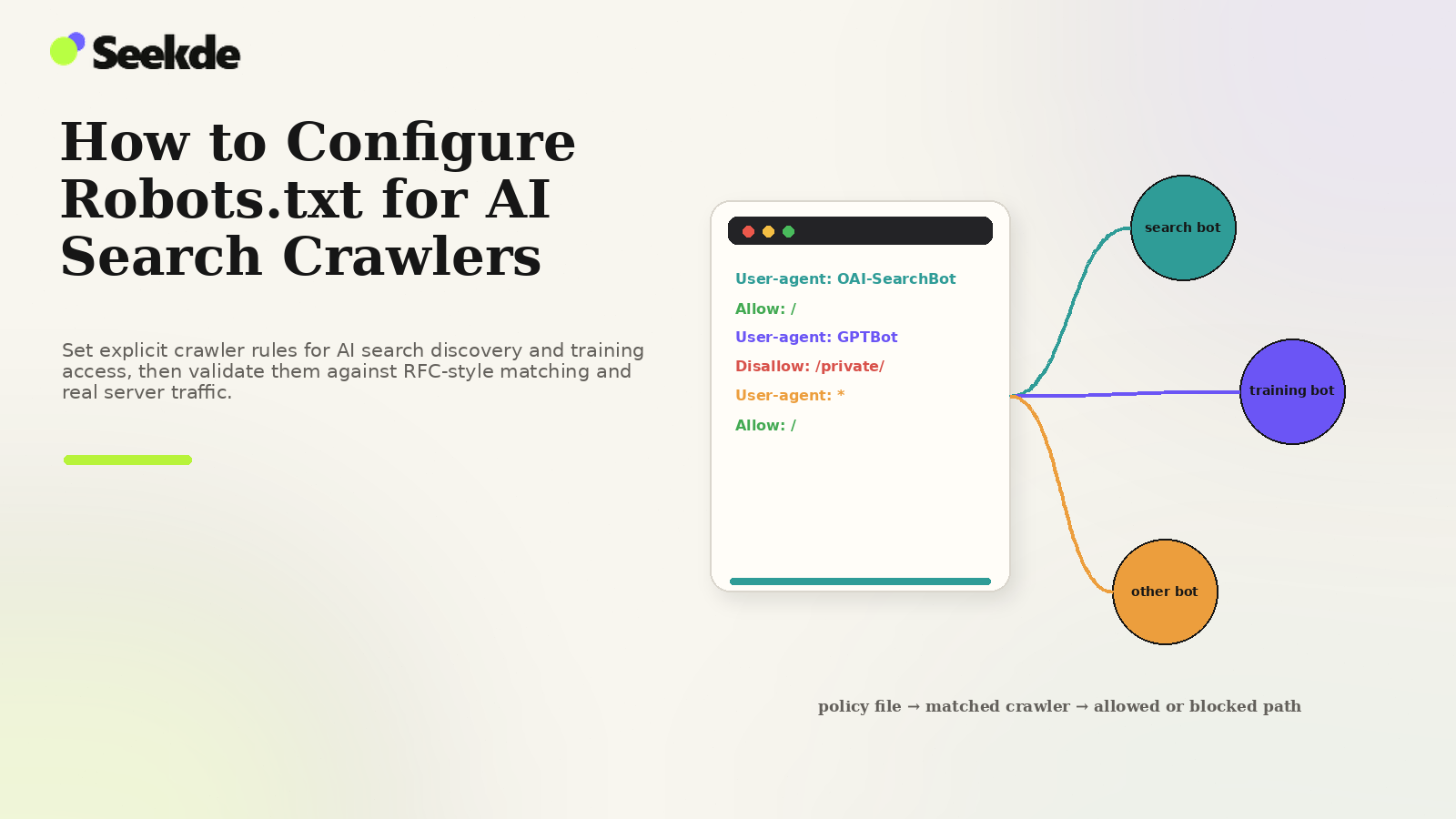
A properly configured robots.txt file gives publishers granular, deterministic control over which AI crawlers can discover and index content for search answers, and which are prohibited from scraping content for foundation model training. However, because robots.txt operates under strict formal standards defined by RFC 9309, misinterpreting rule precedence, user-agent grouping, or path matching can unintentionally expose sensitive endpoints or completely sever a site’s visibility in modern answer engines.
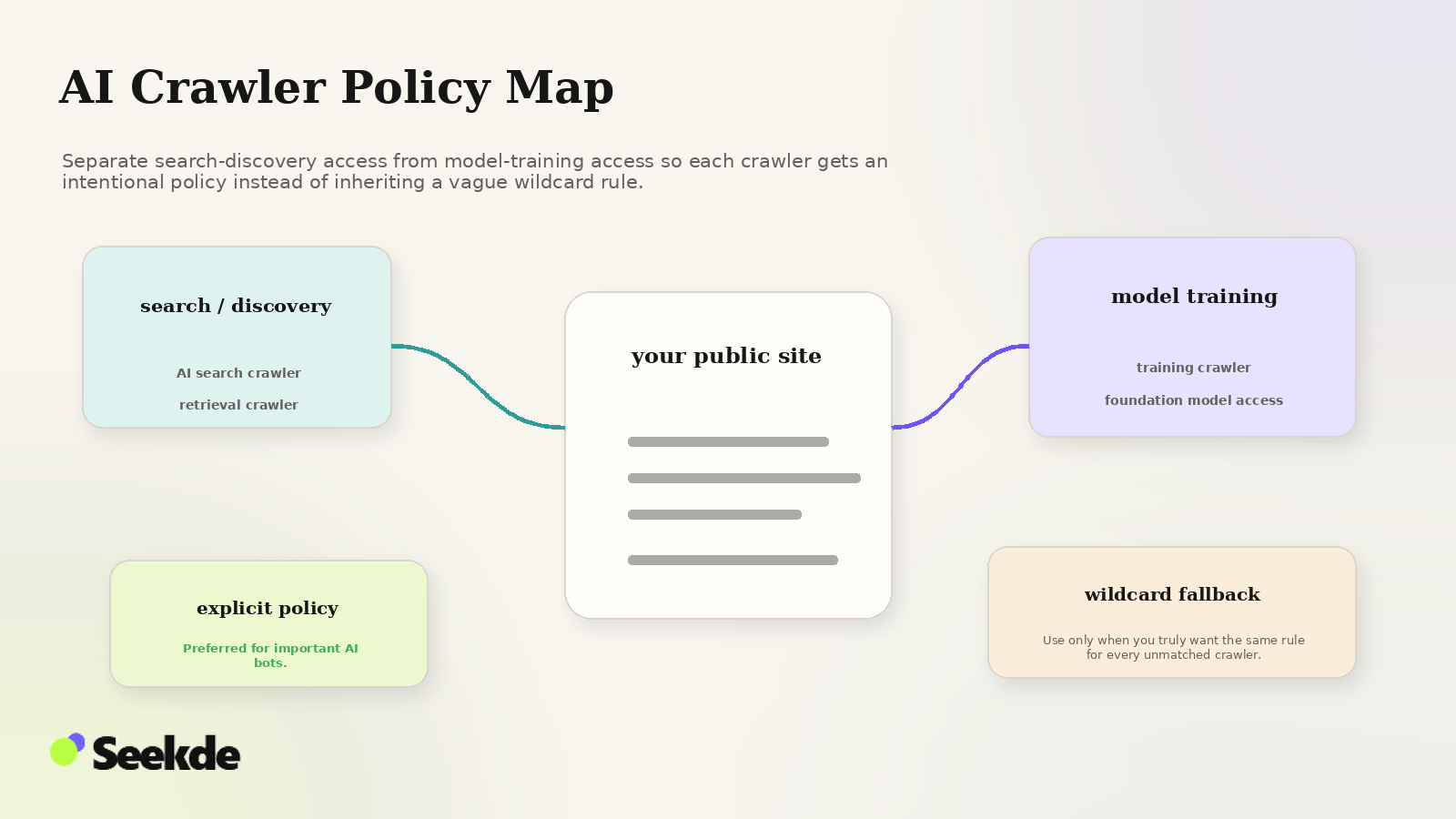
Configuring robots.txt for the modern AI web requires navigating two distinct objectives: maintaining active crawl pathways for real-time search discovery engines (such as Googlebot, OAI-SearchBot, Bingbot, PerplexityBot, and Claude-SearchBot), while enforcing explicit opt-outs for offline model pre-training scrapers (such as GPTBot, ClaudeBot, Google-Extended, and Applebot-Extended). This guide provides a rigorous technical breakdown of RFC 9309 mechanics, identifies common syntax traps, and supplies tested, copy-paste configurations tailored to diverse publisher postures.
Standards Foundation: RFC 9309 and Rule Evaluation Mechanics
The Robots Exclusion Protocol was formally standardized by the Internet Engineering Task Force (IETF) in September 2022 as RFC 9309, and is implemented by major search engines according to published specifications such as Google’s Robots.txt Specifications. To write valid rules for AI bots, technical teams must understand how compliant parsers evaluate directives.
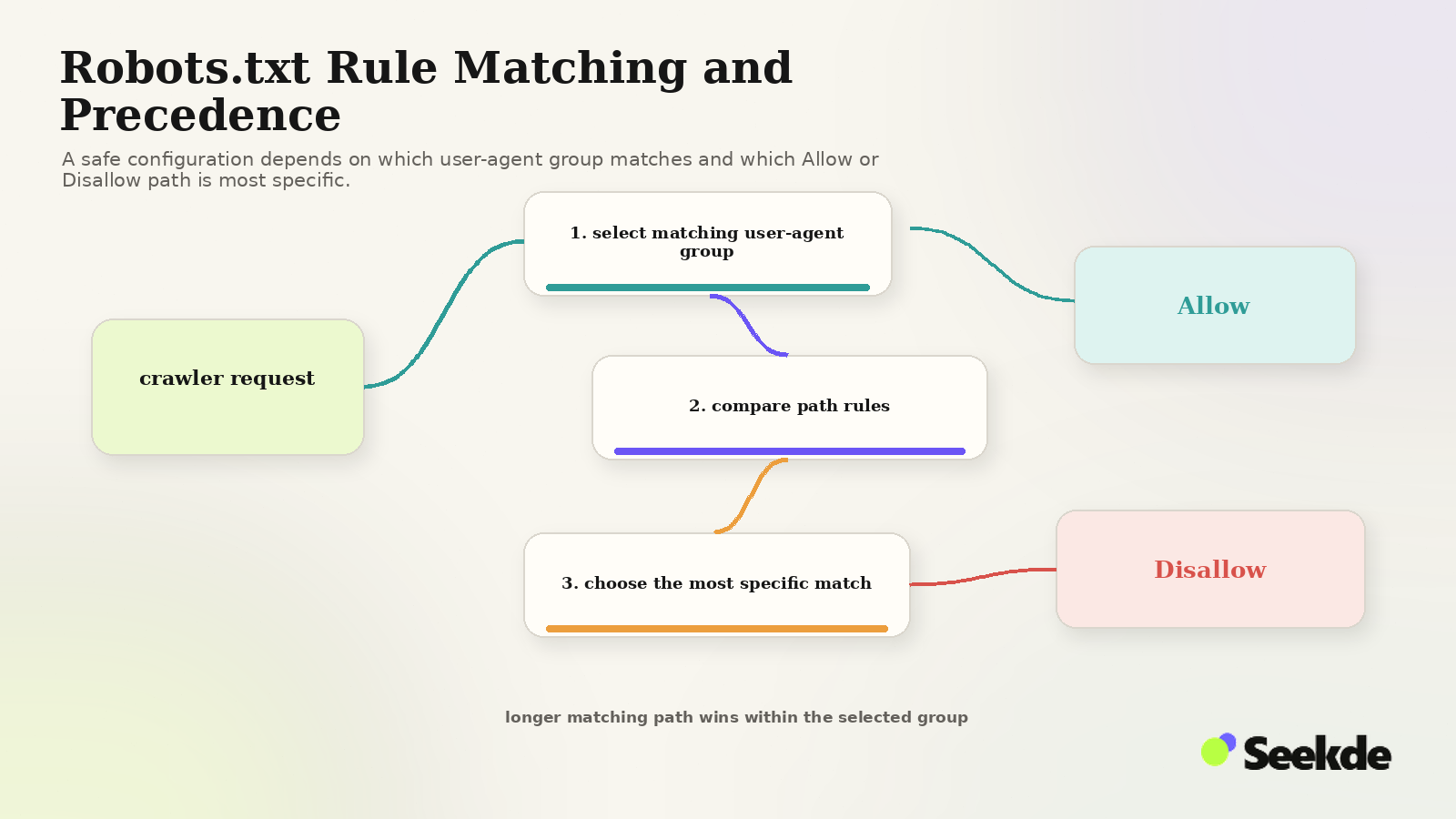
Parse Specific Group
Evaluate rules strictly in that group. IGNORE all rules in User-agent: * record group. Evaluate Path Matching Directives (Allow vs. Disallow for Target URI).
- Allow is Longer: [ACCESS GRANTED]
- Disallow is Longer: [ACCESS BLOCKED]
Parse Wildcard Group
Evaluate rules strictly in the User-agent: * record group. Which rule has the longest match?
- Allow is Longer: [ACCESS GRANTED]
- Disallow is Longer: [ACCESS BLOCKED]
1. The Group Isolation Rule (The Most Common Architecture Error)
Under RFC 9309, a crawler scans the file to locate the single record group whose User-agent line most specifically matches its name. *If a specific group exists, the crawler parses that group exclusively and completely ignores the generic `User-agent: ` group.**
Many developers mistakenly believe that specific bot groups inherit general rules:
# CRITICAL FLAW: False assumption of inheritance
User-agent: *
Disallow: /admin/
Disallow: /private/
Disallow: /staging/

User-agent: OAI-SearchBot
Allow: /
In this invalid setup, OAI-SearchBot locates its specific block, sees Allow: /, and evaluates nothing else. Because it ignores the User-agent: * group, /admin/, /private/, and /staging/ are left completely accessible to OAI-SearchBot!
Whenever you define a dedicated user-agent block, you must explicitly replicate all global disallow rules inside that block.
2. The Longest-Match Precedence Rule
When multiple Allow and Disallow directives match a requested URI within the same group, the directive with the longest character count in the path pattern takes precedence.
Example:
User-agent: *
Disallow: /reports/
Allow: /reports/public-summary.html- For
/reports/internal-data.json: MatchesDisallow: /reports/(length 9). Result: Blocked. - For
/reports/public-summary.html: Matches bothDisallow: /reports/(length 9) andAllow: /reports/public-summary.html(length 28). Because theAllowpath is longer, it wins. Result: Allowed.
If an Allow and a Disallow rule have identical path lengths (for example, Allow: /data and Disallow: /data), RFC 9309 specifies that the Allow directive takes precedence.
3. Path Matching and Trailing Slash Significance
Robots.txt path rules match the beginning of a URI path:
Disallow: /admin: Blocks/admin,/admin/,/administrator, and/admin-settings.php.Disallow: /admin/: Blocks/admin/and/admin/users/, but does not block/administrator.Disallow: /*.pdf$: Uses the wildcard*and end-of-string anchor$to block all URLs ending in.pdf.
Authoritative User-Agent Tokens for AI Optimization
To configure rules accurately, technical teams must use the exact, case-insensitive user-agent tokens recognized by crawler operators:
| Target Category | Crawler Name | Official Robots.txt Token | Operational Impact of Disallow |
|---|---|---|---|
| Search Discovery | Google Search | Googlebot |
Removes site from Google Search, AI Overviews, and AI Mode |
| Search Discovery | ChatGPT Search | OAI-SearchBot |
Excludes site from ChatGPT Search index and source citation cards |
| Search Discovery | Bing / Copilot | Bingbot |
Removes site from Bing Search and Copilot web grounding |
| Search Discovery | Perplexity AI | PerplexityBot |
Excludes site from Perplexity search indexing and citation |
| Search Discovery | Anthropic Search | Claude-SearchBot |
Excludes site from Anthropic search indexing and web-search result features |
| Model Training | OpenAI Training | GPTBot |
Opts out of data scraping for future OpenAI foundation model pre-training |
| Model Training | Google Generative | Google-Extended |
Opts out of Gemini and Vertex AI training without impacting Google Search |
| Model Training | Anthropic Training | ClaudeBot |
Opts out of Claude model pre-training and dataset collection |
| Model Training | Apple Foundation | Applebot-Extended |
Opts out of Apple Intelligence training without affecting Siri/Spotlight search |
| User Navigation | ChatGPT Direct | ChatGPT-User |
Blocks ChatGPT from fetching specific links pasted directly into user prompts |
| User Navigation | Claude Direct | Claude-User |
Blocks Claude from fetching specific links pasted directly into user prompts |
For detailed architectural differences between search bots and training scrapers, consult our comprehensive guide on AI Crawlers Explained and our specific comparison of OAI-SearchBot vs GPTBot.
Four Production-Ready Robots.txt Configurations
Select and deploy the configuration that matches your organization’s legal, commercial, and SEO strategy:
Configuration 1: Maximum AI Search Visibility with Model Training Opt-Out (Recommended for Most Commercial Sites)
This configuration allows all primary search discovery engines to crawl and cite your content in real-time answers (including Google AI Overviews, ChatGPT Search, Microsoft Copilot, and Perplexity), while asserting an explicit opt-out against foundation model pre-training:
# ==============================================================================
# SEEKDE PRODUCTION TEMPLATE: MAXIMUM AI SEARCH VISIBILITY (TRAINING OPT-OUT)
# Allows real-time search discovery; blocks foundation model training scrapers.
# ==============================================================================

# Generic Crawlers: Standard Search Protection
User-agent: *
Disallow: /wp-admin/
Disallow: /private/
Disallow: /staging/
Disallow: /api/internal/
Allow: /wp-admin/admin-ajax.php

# OpenAI Search Discovery: Explicitly Allowed for ChatGPT Search
User-agent: OAI-SearchBot
Disallow: /wp-admin/
Disallow: /private/
Disallow: /staging/
Disallow: /api/internal/
Allow: /

# Perplexity Search Discovery: Explicitly Allowed
User-agent: PerplexityBot
Disallow: /wp-admin/
Disallow: /private/
Disallow: /staging/
Disallow: /api/internal/
Allow: /

# Anthropic Search Discovery Crawler
User-agent: Claude-SearchBot
Disallow: /wp-admin/
Disallow: /private/
Disallow: /staging/
Disallow: /api/internal/
Allow: /

# ==============================================================================
# Model Training Scrapers: Explicitly Blocked
# ==============================================================================

# OpenAI Foundation Model Training Scraper
User-agent: GPTBot
Disallow: /

# Anthropic Foundation Model Training Scraper
User-agent: ClaudeBot
Disallow: /

# Google Generative AI Training (Gemini / Vertex AI)
User-agent: Google-Extended
Disallow: /

# Apple Intelligence Foundation Model Training
User-agent: Applebot-Extended
Disallow: /

# XML Sitemap Declaration
Sitemap: https://example.com/wp-sitemap.xml
Configuration 2: Full Open Web Integration
Ideal for open-source repositories, developer documentation portals, and academic projects seeking maximum dissemination across both search retrieval and foundation model weights:
# ==============================================================================
# SEEKDE PRODUCTION TEMPLATE: FULL OPEN INTEGRATION
# Allows all search crawlers and AI training scrapers across public routes.
# ==============================================================================

User-agent: *
Disallow: /wp-admin/
Disallow: /private/
Disallow: /staging/
Allow: /wp-admin/admin-ajax.php
Allow: /

# XML Sitemap Declaration
Sitemap: https://example.com/wp-sitemap.xml
Configuration 3: Strict AI Opt-Out with Traditional Search Preservation
Designed for publishers who wish to remain fully visible in traditional search results (Google, Bing) but explicitly block all dedicated AI search discovery engines and model training scrapers:
# ==============================================================================
# SEEKDE PRODUCTION TEMPLATE: STRICT AI OPT-OUT
# Preserves traditional search engines; blocks AI search discovery & training.
# ==============================================================================

User-agent: *
Disallow: /wp-admin/
Disallow: /private/
Disallow: /staging/
Allow: /wp-admin/admin-ajax.php

# Block AI Search Discovery
User-agent: OAI-SearchBot
Disallow: /

User-agent: PerplexityBot
Disallow: /

User-agent: Claude-SearchBot
Disallow: /

# Block AI Model Training
User-agent: GPTBot
Disallow: /

User-agent: ClaudeBot
Disallow: /

User-agent: Google-Extended
Disallow: /

User-agent: Applebot-Extended
Disallow: /

# Block On-Demand User Navigation
User-agent: ChatGPT-User
Disallow: /

User-agent: Claude-User
Disallow: /

# XML Sitemap Declaration
Sitemap: https://example.com/wp-sitemap.xml
Configuration 4: Granular Directory-Level Access Control
Useful for websites that maintain public editorial articles alongside proprietary datasets, member portals, or research tools:
# ==============================================================================
# SEEKDE PRODUCTION TEMPLATE: GRANULAR SECTION CONTROL
# Allows AI search bots to index public articles; shields data and members areas.
# ==============================================================================

User-agent: *
Disallow: /wp-admin/
Disallow: /members/
Disallow: /datasets/
Disallow: /internal/
Allow: /wp-admin/admin-ajax.php

User-agent: OAI-SearchBot
Disallow: /members/
Disallow: /datasets/
Disallow: /internal/
Allow: /articles/
Allow: /blog/
Allow: /guides/

User-agent: PerplexityBot
Disallow: /members/
Disallow: /datasets/
Disallow: /internal/
Allow: /articles/
Allow: /blog/
Allow: /guides/

User-agent: Claude-SearchBot
Disallow: /members/
Disallow: /datasets/
Disallow: /internal/
Allow: /articles/
Allow: /blog/
Allow: /guides/

User-agent: GPTBot
Disallow: /

User-agent: ClaudeBot
Disallow: /

# XML Sitemap Declaration
Sitemap: https://example.com/wp-sitemap.xml
Critical Syntax Traps and Misconceptions
When auditing robots.txt files, technical teams frequently encounter costly implementation mistakes:
Trap 1: Relying on Robots.txt for Security or Authentication
Robots.txt is an advisory protocol, not a security firewall. As Google Search Central explicitly warns, robots.txt is not a mechanism for keeping private or sensitive material off web search engines. It does not prevent malicious actors, curl scripts, or hostile scrapers from requesting disallowed URLs. Any URL listed in a Disallow line is publicly visible to anyone reading https://example.com/robots.txt. Never list secret admin paths, private tokens, or staging URLs in robots.txt without backing them up with server-side authentication (e.g., HTTP Basic Auth, OAuth, IP whitelisting).
Trap 2: Believing Disallow Removes URLs from Search Engines
A Disallow: /page directive stops search engines from crawling the body of that page. However, as documented in Google’s Robots Documentation, if other websites link to /page, search engines can still index the URL and display it in search results based on external anchor text, though without a descriptive snippet. If your goal is complete removal from search indexes, do not use robots.txt; instead, allow the crawler to fetch the page and serve a <meta name="robots" content="noindex"> tag or an X-Robots-Tag: noindex HTTP header.
Trap 3: Expecting Retroactive Model Training Erasure
Disallowing GPTBot or ClaudeBot prevents those bots from downloading content in future crawls. It does not purge data that was crawled previously, nor does it erase neural weights already trained into existing foundation models.
Trap 4: Blank Line Formatting Errors
Under RFC 9309, record groups must be separated by one or more blank lines. Omitting blank lines can cause parsers to merge separate groups:
# INCORRECT: Missing blank line merges tokens into a single group!
User-agent: Googlebot
Disallow: /staging/
User-agent: GPTBot
Disallow: /
Always verify that a clean blank line separates each user-agent block.
Trap 5: Misplaced Inline Comments
While RFC 9309 permits comments starting with #, placing comments directly after a directive value can confuse older or non-standard parsers:
# RISKY: Some parsers interpret the comment as part of the path!
Disallow: /private/ # do not crawl
Always place comments on their own dedicated lines above directives.
What About llms.txt?
A recent proposal in the developer community suggests placing a markdown file at /llms.txt to help language models discover clean site documentation. While /llms.txt offers clear utility for developer tooling and coding assistants, it is not an official search engine standard and does not replace robots.txt. For an evidence-led analysis of adoption and ranking realities, read Does llms.txt Help AI Search Rankings?.
Testing and Verification Protocol
Before deploying robots.txt changes to production, execute this validation sequence:
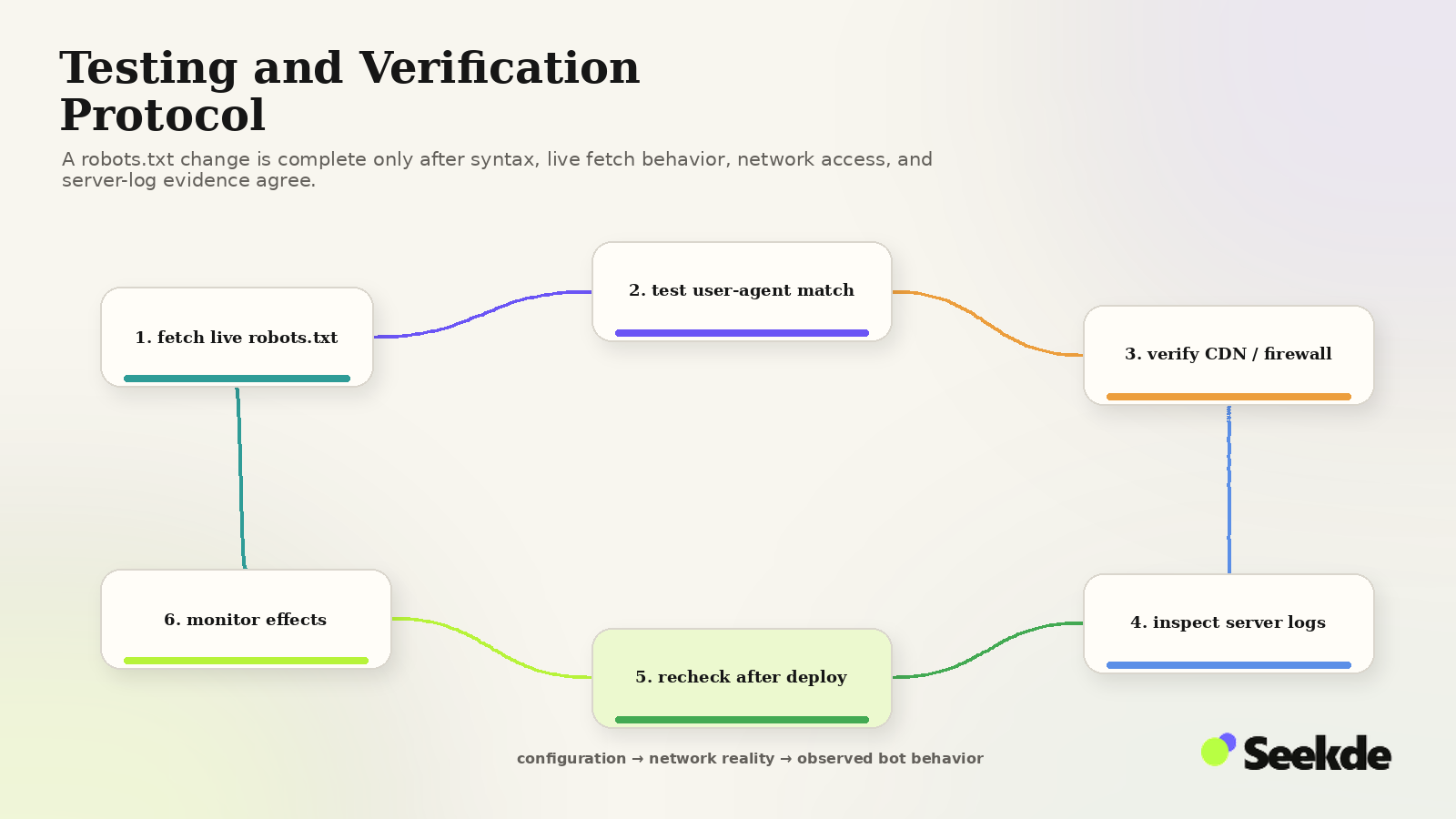
Step 1: Probe Live Response and Headers via cURL
Verify that robots.txt returns HTTP 200, serves Content-Type: text/plain, and is accessible to standard user agents:
curl.exe -sI https://example.com/robots.txt
# Expected: HTTP/1.1 200 OK
# Expected: Content-Type: text/plain; charset=UTF-8
Inspect the raw output to ensure no HTML tags or PHP errors leaked into the file:
curl.exe -s https://example.com/robots.txt | head -n 25Step 2: Validate Against RFC 9309 Open-Source Testers
Use Google’s open-source robotstxt parser (available on GitHub as google/robotstxt) or webmaster inspection tools in Google Search Console and Bing Webmaster Tools to test specific URL paths against defined user agents.
You can also run a quick validation check using Python’s standard urllib.robotparser library:
import urllib.robotparser

rp = urllib.robotparser.RobotFileParser()
rp.set_url("https://example.com/robots.txt")
rp.read()

# Test specific AI crawler access
print("OAI-SearchBot /blog/ access:", rp.can_fetch("OAI-SearchBot", "https://example.com/blog/"))
print("GPTBot /blog/ access:", rp.can_fetch("GPTBot", "https://example.com/blog/"))
print("OAI-SearchBot /staging/ access:", rp.can_fetch("OAI-SearchBot", "https://example.com/staging/"))
Step 3: Configure Edge CDNs and Bot Management Layers
Modern CDNs (Cloudflare, AWS CloudFront, Fastly) process incoming traffic at edge nodes before requests reach your web server’s robots.txt. Ensure your edge security policies do not conflict with your crawler directives:
- Cloudflare Bot Management: In the Cloudflare Dashboard under Security > Bots, review rules for "Verified Bots". Cloudflare automatically allows verified search crawlers (including Googlebot and Bingbot). For
OAI-SearchBot, verify that your custom WAF rules do not subject legitimate OpenAI IP ranges to Managed Challenges. - AWS WAF: If using AWS WAF Bot Control managed rule groups, create an override exception for verified search crawler User-Agents and IP CIDR blocks to avoid automated 403 blocks.
- LiteSpeed and Apache .htaccess Rules: Ensure that existing rewrite rules or mod_security directives do not terminate requests containing "Bot" in the User-Agent header with a 403 Forbidden status.
Step 4: Monitor Server Access Logs for Response Codes
After updating robots.txt, monitor server access logs to confirm that allowed bots (like OAI-SearchBot) are not receiving unexpected errors:
# Monitor incoming requests from AI search and training crawlers
tail -f /var/log/nginx/access.log | grep -E "(Googlebot|OAI-SearchBot|GPTBot|PerplexityBot)"
For an end-to-end diagnostic workflow covering status codes, headers, and rendering, follow our comprehensive guide on How to Audit Your Website for AI Search Crawlability.
Summary: Key Takeaways for Web Engineers
- RFC 9309 Group Isolation: Specific user-agent blocks (e.g.,
User-agent: OAI-SearchBot) do not inherit rules fromUser-agent: *. Replicate sensitive path restrictions across all custom groups. - Decouple Search from Training: Allow
OAI-SearchBot,PerplexityBot, andClaude-SearchBotfor search discovery and citations; disallowGPTBot,ClaudeBot,Google-Extended, andApplebot-Extendedfor training opt-out. - Longest Match Rules: More specific path directives always override shorter path rules regardless of order.
- Robots.txt is Not Security: Use server-side authentication to protect confidential files, and
noindexheaders to remove URLs from search indexes. - Validate via Terminal and Logs: Test the live HTTP response code and monitor server logs for crawler status codes to verify that firewall layers are aligned with robots.txt rules.