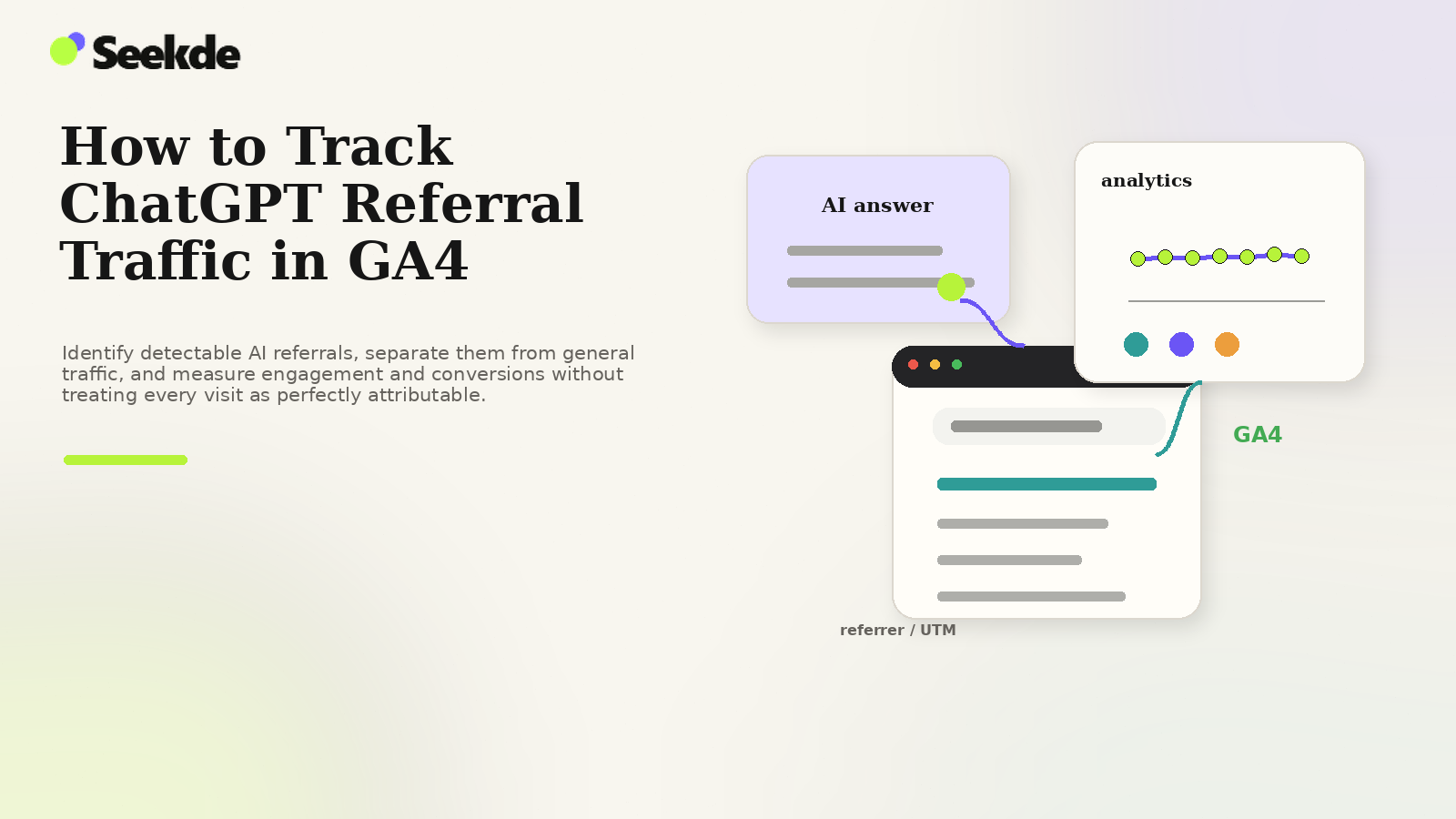
ChatGPT referral traffic can be tracked in GA4 when a visit arrives with a detectable referrer or campaign parameters. The practical setup is to isolate known AI referrers and tagged links in a dedicated channel or exploration, then measure sessions, engagement, landing pages, and conversions separately while accounting for AI-driven visits that lose attribution and appear as Direct.
This official attribution parameter gives website owners a deterministic method to isolate visits originating from ChatGPT inside Google Analytics 4 (GA4). However, tracking generative search referrals is not as simple as checking a default report. By default, GA4 often fragments AI-driven traffic across multiple channel groups, while client-side redirects, in-app browsers, and native mobile apps can strip tracking parameters entirely, causing significant traffic to leak into (direct) / (none).
This technical guide details how to verify attribution parameters, configure a custom AI Search channel grouping in GA4, prevent parameter stripping, and analyze downstream engagement without misinterpreting the limits of analytics data.
1. How ChatGPT Transmits Referral Data
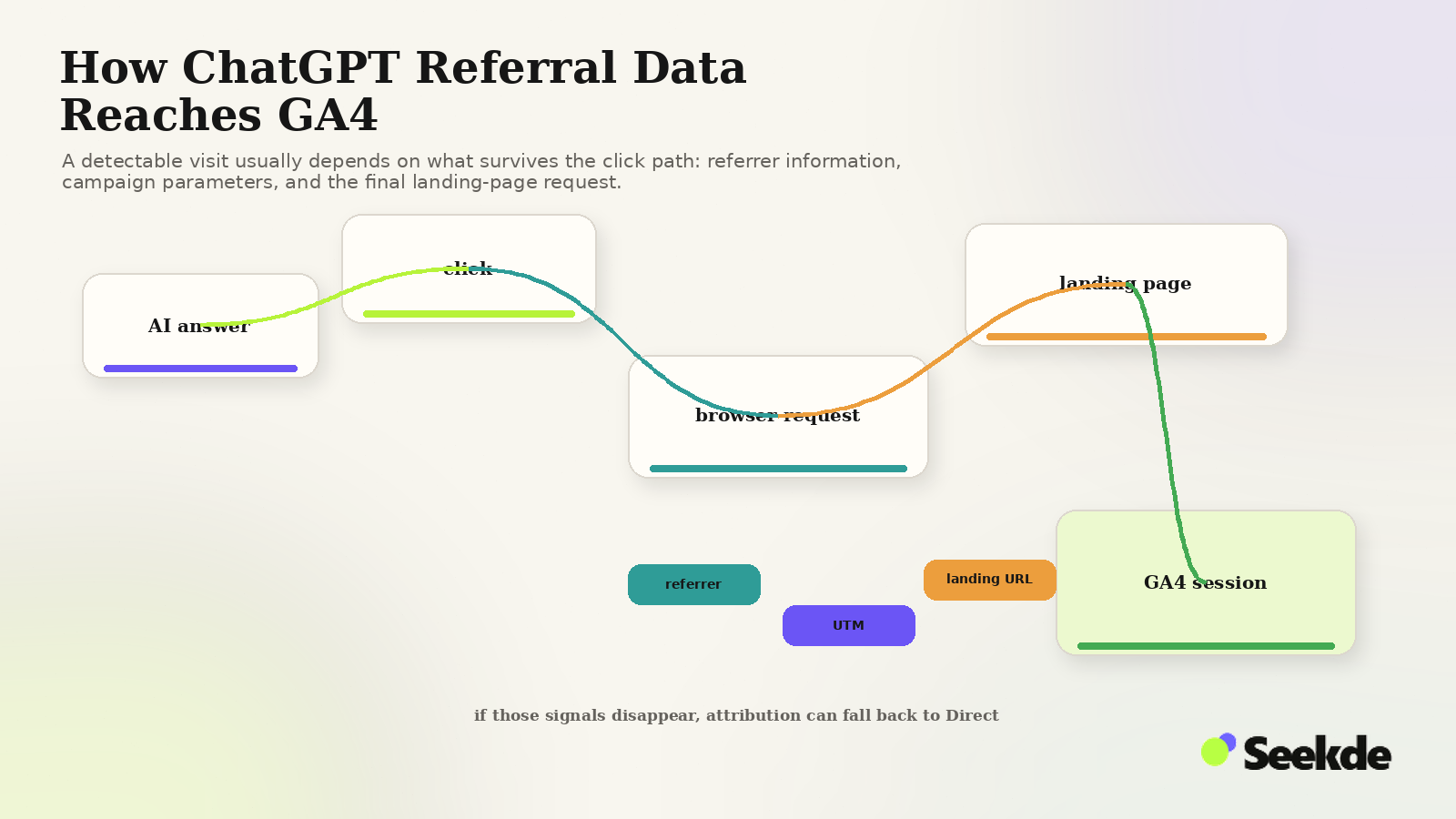
According to official OpenAI documentation (specifically the OpenAI Publishers and Developers FAQ), ChatGPT Search uses a standardized attribution protocol for external links:
- Automated Campaign Tagging: When a user clicks a citation card, source badge, or inline link generated by ChatGPT Search, OpenAI appends
utm_source=chatgpt.comto the destination URL. - HTTP Referrer Header: When queries are executed in a standard desktop web browser, the browser’s HTTP request header typically passes
https://chatgpt.com/as theReferer(ororigin). - App-Specific Referrers: For sessions originating from the ChatGPT Android application, the referrer is frequently transmitted as
android-app://com.openai.chatgpt. For iOS applications, referrer headers may be absent entirely depending on iOS version and user privacy settings.
Understanding these three distinct entry paths is essential for configuring GA4 correctly.
2. The GA4 Default Channel Grouping Problem
Google Analytics 4 categorizes incoming sessions using strict, sequential Default Channel Grouping rules. In a standard, out-of-the-box GA4 property:
- Referral Channel: If a visitor arrives from desktop web with a referrer header of
chatgpt.comand no conflicting medium, GA4 assigns the session to theReferralchannel. - Unassigned Channel: Because OpenAI appends
utm_source=chatgpt.comwithout a correspondingutm_mediumparameter (such asutm_medium=referral), GA4’s rule engine frequently fails to match standard channel definitions, dumping valuable search traffic into(unassigned). - Direct Channel: If a visitor uses the iOS native app or an in-app browser that strips headers and query parameters, GA4 cannot identify the source, logging the session as
(direct) / (none).
To resolve this fragmentation and view all generative traffic in one place, organizations must configure a Custom Channel Grouping.
3. Configuring a Dedicated "AI Search" Channel Group in GA4
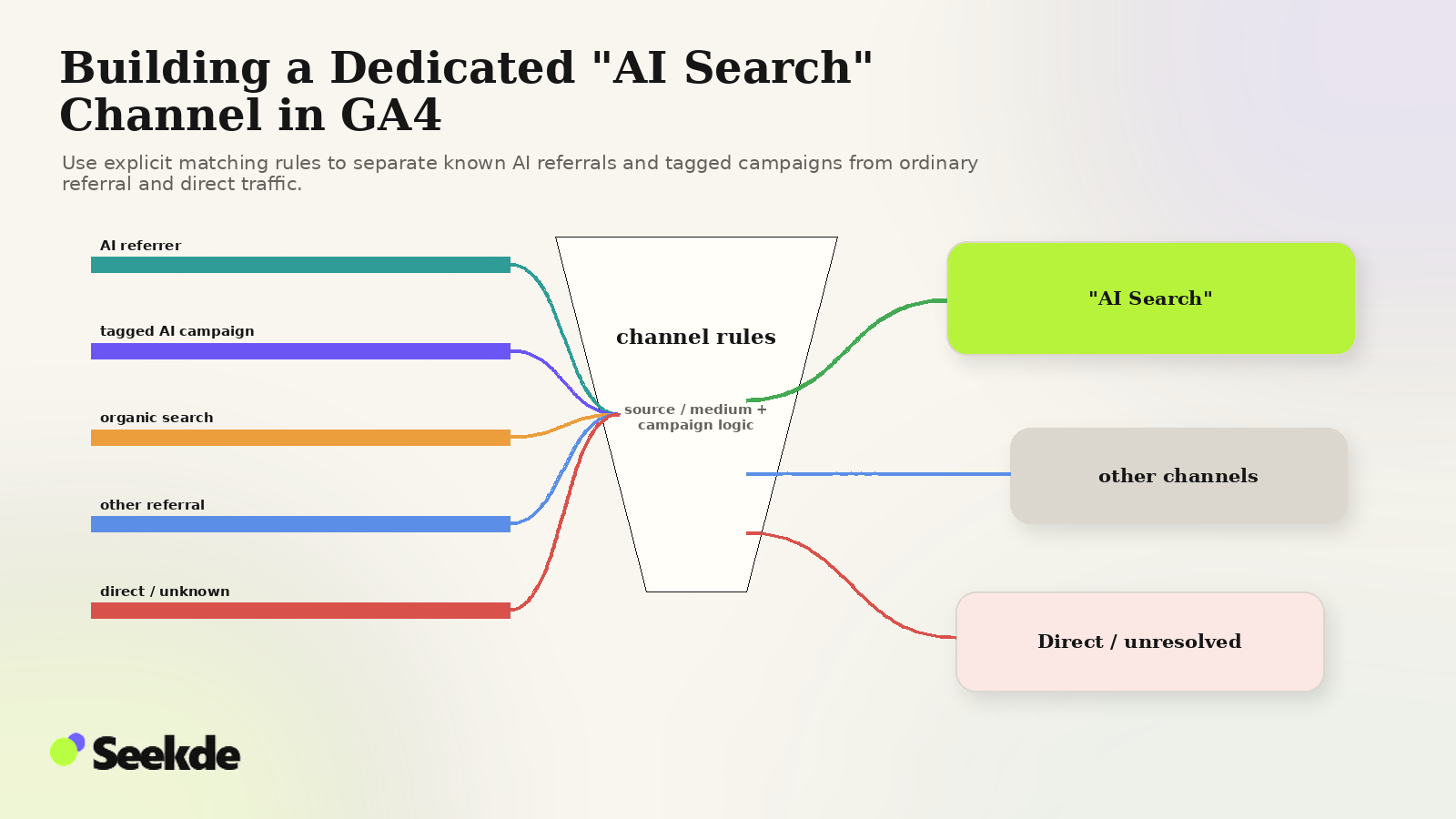
Creating a custom channel group ensures that visits from ChatGPT, Perplexity, Copilot, Claude, and Gemini are aggregated into a single, clean reporting channel while preserving individual source granularity.
AI Search & Assistants
.*(chatgpt.com openai.com perplexity.ai copilot.microsoft.com claude.ai gemini.google.com
//com.openai.chatgpt).* OR
.*(chatgpt.com perplexity copilot).*
Step-by-Step Implementation:
- Navigate to Admin in Google Analytics 4 (bottom left gear icon).
- Under Data display, select Channel groups.
- Click Create new channel group (or edit your existing Primary Channel Group).
- Click Add new channel and name it AI Search.
- Define the channel rule:
- Dimension:
Source - Match type:
matches regex - Value:
.*(chatgpt.com|openai.com|perplexity.ai|copilot.microsoft.com|claude.ai|gemini.google.com|android-app://com.openai.chatgpt).*
- Dimension:
- Add an
ORcondition:- Dimension:
Manual source - Match type:
matches regex - Value:
.*(chatgpt.com|perplexity|copilot).*
- Dimension:
- Position the new
AI Searchchannel above the standardReferralandOrganic Searchchannels in the priority order list. - Save the channel group. (Note: Custom channel groupings in GA4 apply retroactively to historical data in Explorations and standard reports).
4. Preventing Parameter Stripping: Technical Pitfalls
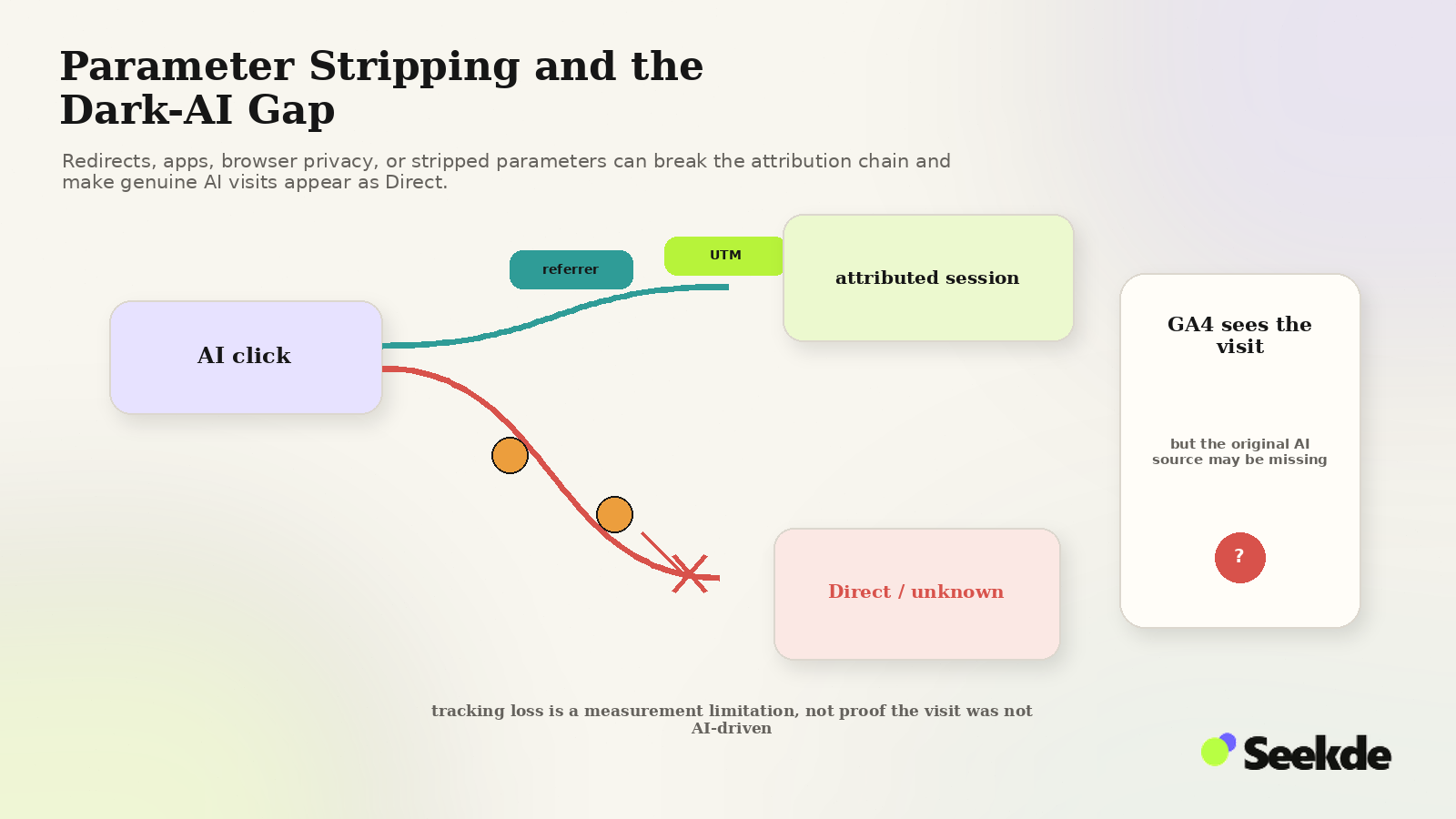
Even with GA4 configured perfectly, common technical configurations on your web server can strip OpenAI’s UTM parameters before the analytics tag executes.
Pitfall 1: Non-Preserving HTTP Redirects
If your site forces trailing slashes, HTTPS upgrades, or redirects legacy URLs, poorly configured server rules will discard query strings.
Incorrect Apache / LiteSpeed rule (drops parameters):
RewriteRule ^article$ /article/ [R=301,L]Correct rule (preserves query parameters using QSA):
RewriteRule ^article$ /article/ [R=301,L,QSA]Test this directly: open a terminal or browser and navigate to:
https://yourdomain.com/landing-page?utm_source=chatgpt.com
Inspect the final URL in the browser address bar. If ?utm_source=chatgpt.com disappears after a 301 redirect, your server is stripping campaign data and destroying referral attribution.
Pitfall 2: Client-Side Single Page Application (SPA) Routing
Modern JavaScript frameworks (Next.js, Nuxt, React Router) frequently rewrite the browser’s URL using history.pushState() upon initial mount. If the router strips query parameters before the Google Tag (gtag.js) or Google Tag Manager container fires, the session will be recorded without campaign context.
Ensure that your analytics initialization fires before any client-side route normalization occurs.
Pitfall 3: Parameter Canonicalization
While search engines recommend self-referential canonical tags on content pages, ensure your developers do not strip query parameters from client-side tracking scripts when reading canonical tags.
5. Building an AI Search Performance Exploration in GA4
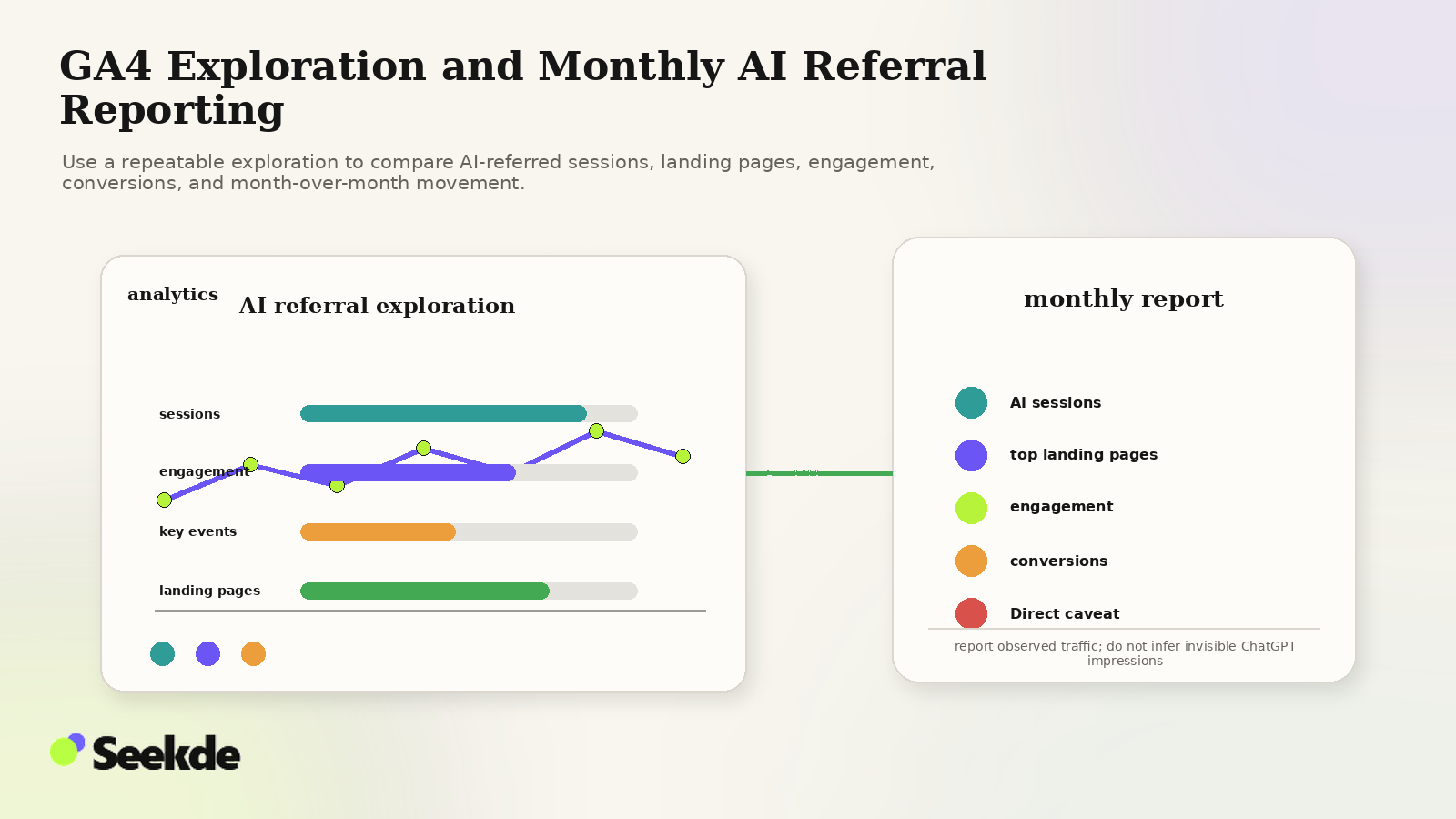
Once data is flowing, standard acquisition overviews provide only high-level totals. To evaluate true commercial impact, build a custom Free-Form Exploration in GA4:
Exploration Setup:
- Navigate to Explore > Blank exploration.
- Dimensions to import:
Landing page + query stringSession source / mediumDevice categoryCountry
- Metrics to import:
SessionsEngaged sessionsEngagement rateAverage session durationKey events(formerly Conversions)Event count(for specific lead generation events)
- Filters:
- Set filter where
Session sourcecontainschatgpt.comORpage_referrercontainschatgpt.com.
- Set filter where
Critical Analysis Questions:
- Which URLs earn the most ChatGPT referrals? Are visitors landing on product solution pages, comparison guides, or educational blog posts?
- How does engagement compare to Organic Search? Do ChatGPT visitors exhibit higher engagement rates and longer dwell times? (In many technical sectors, generative search visitors arrive with higher commercial intent because the AI has already qualified their query).
- What is the conversion rate of AI-referred sessions? Track whether ChatGPT visitors download whitepapers, request demos, or purchase products.
6. The "Dark AI" Reality: Direct Traffic Leakage
Search teams must understand that GA4 will often undercount the true volume of traffic generated by AI search engines. This discrepancy is known as Dark AI Traffic.
User copies URL from answer into new tab
iOS app webviews strip referrer headers
User discovers brand in AI, searches Google
Aggressive browser extensions strip UTMs
- Copy-Paste Behavior: A significant portion of users do not click citation pills directly. Instead, they read the recommendation, copy the brand or URL name, and paste it into a fresh browser tab. GA4 records this as a direct visit or a branded organic search visit.
- Native Application Sandboxes: Mobile apps operating inside hardened security sandboxes frequently suppress outbound HTTP referrers.
- Multi-Turn Discovery: A user may ask ChatGPT for software recommendations, receive three options, and subsequently open Google to search for
"[Brand Name] pricing". Traditional attribution models award 100% of the credit to Google Organic Search, completely ignoring the initiating AI discovery touchpoint.
7. What GA4 Can and Cannot Tell You
Maintaining analytical integrity requires understanding the fundamental limitations of web analytics:
| Dimension | What GA4 Can Show | What GA4 CANNOT Show |
|---|---|---|
| User Queries | The landing page visited on your site. | The natural language prompt entered into ChatGPT. |
| Competitive Context | Behavior of visitors after they arrive. | Which competitor brands were recommended alongside yours. |
| Unclicked Impressions | Clicked citations that produced visits. | How many users read your brand mention without clicking. |
| Internal Retrieval | HTTP referrer and UTM campaign source. | Whether ChatGPT retrieved your page via SearchBot or user browsing. |
To bridge this gap, GA4 referral tracking should be paired with prompt-side monitoring, as detailed in How to Measure Brand Visibility in AI Search and How to Build an AI Search Prompt Monitoring Set.
Monthly AI Referral Reporting Template
When compiling monthly performance reports for marketing stakeholders, use this structured reporting template:
- Total AI Referral Sessions: Aggregate sessions from
chatgpt.com,perplexity.ai,copilot.microsoft.com, and related platforms. - Month-over-Month Growth: Percentage shift in AI search sessions relative to traditional organic search growth.
- Top 5 AI Landing Pages: Identification of content assets driving the highest generative referral volume.
- Engagement Quality Ratio: Comparison of AI referral engagement rate versus overall site average.
- Direct Key Event Conversions: Submissions, sign-ups, and sales directly attributed to the
AI Searchchannel. - Observed Tracking Gaps: Notes on any parameter stripping, redirect anomalies, or suspected Dark AI leakage.
Related Guides & Methodologies
- ChatGPT Search SEO: How to Improve Website Visibility
- How to Get Your Website Cited by ChatGPT
- How to Track AI Search Visibility in Google Search Console
- Why AI Visibility Rankings Change Between Runs
- Seekde Research Methodology
Authoritative Primary Sources
- OpenAI Publishers and Developers FAQ: https://help.openai.com/en/articles/12627856-publishers-and-developers-faq (Authoritative confirmation of
utm_source=chatgpt.comparameter appending). - Google Analytics Help: Default Channel Groupings in GA4 (Rule hierarchies and channel definition specifications).