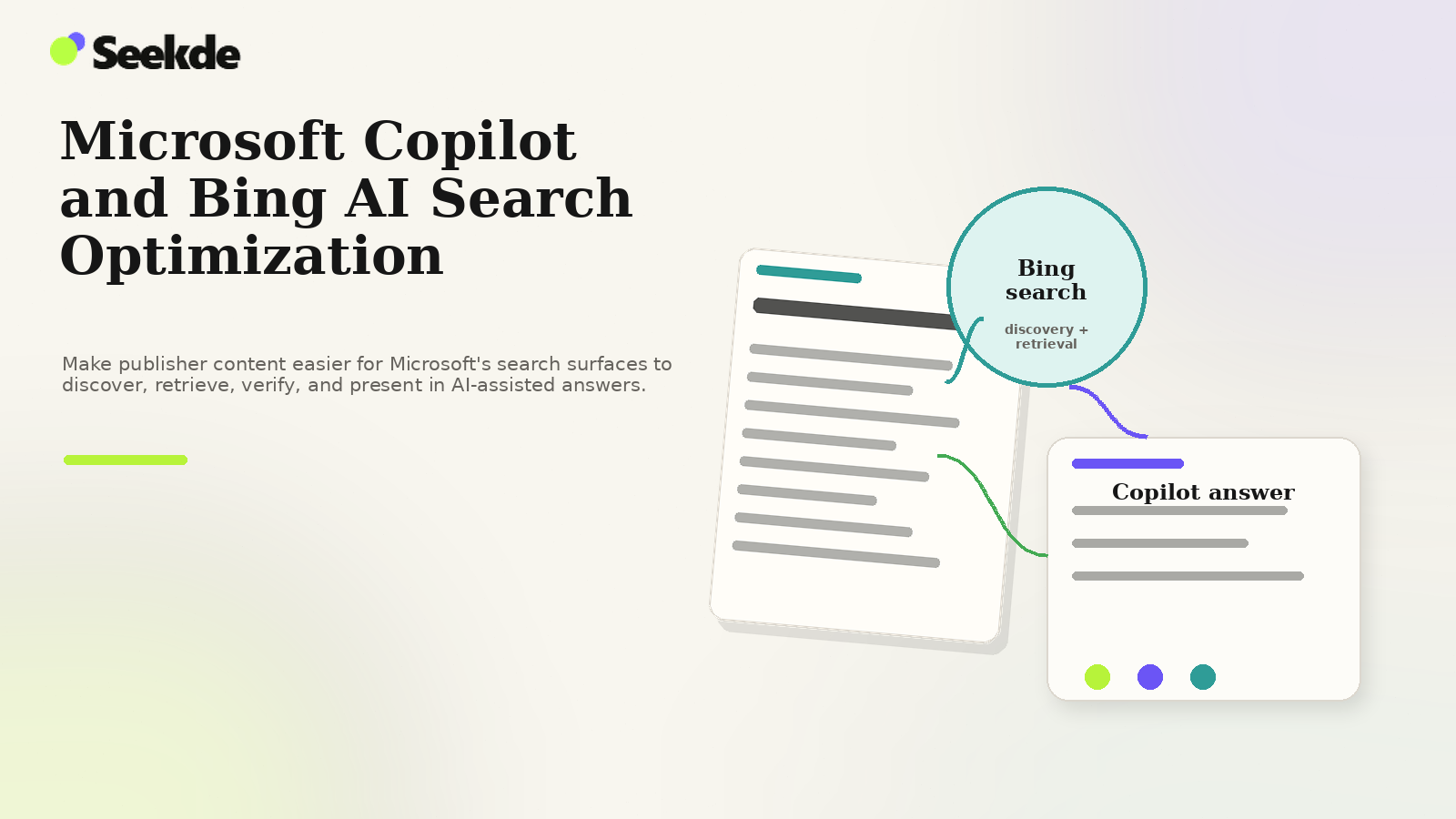
Optimizing for Microsoft Copilot and Bing AI search means making your content easy for Bing to discover, index, understand, and retrieve while giving AI-assisted search experiences clear, trustworthy source material to reference. In practice, that means strong technical crawlability, precise entity and topic signals, current factual content, useful source attribution, and ongoing measurement in Bing’s publisher tools and visible AI search surfaces.
Unlike monolithic search engines with a single consumer interface, Microsoft deploys generative intelligence across distinct consumer and commercial environments. Securing visibility across these surfaces depends on technical indexing in the core Bing search index rather than speculative "AI optimization" shortcuts.
Site owners must recognize from the outset that Microsoft operates multiple AI-driven surfaces with differing technical characteristics and retrieval rules. Optimizing for this ecosystem begins with clean technical crawlability, intentional publisher directive management, and rigorous use of first-party reporting tools.
Understanding Microsoft’s Distinct AI Surfaces
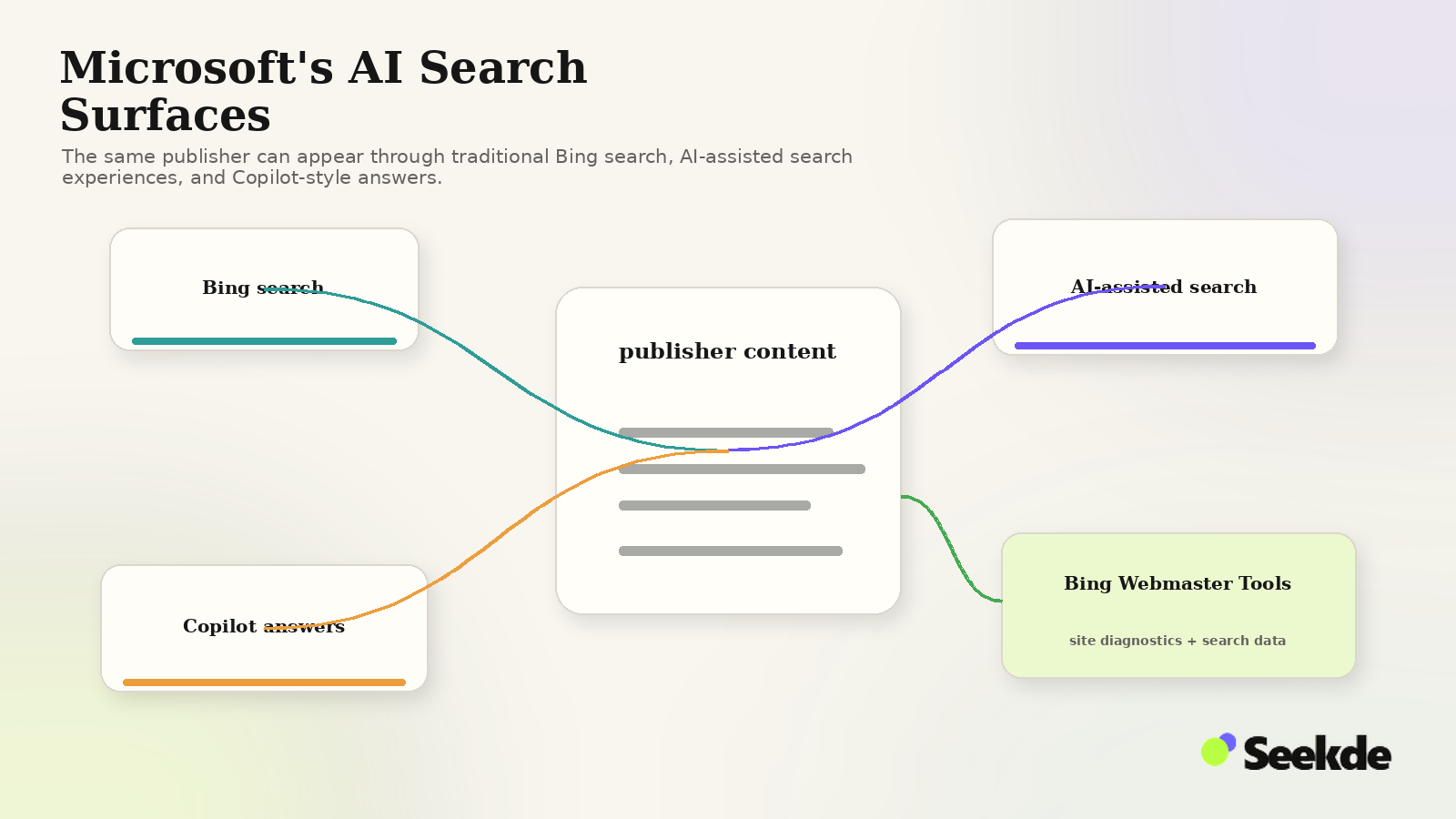
A common error among search marketers is treating all Microsoft generative tools as an identical, single search interface. Microsoft documents distinct capabilities, grounding behaviors, and access requirements across its product portfolio:
- Consumer Microsoft Copilot (
copilot.microsoft.com): Microsoft’s primary conversational assistant for consumers. It handles multi-turn dialogues, creative generation, and web-informed answers. Under unauthenticated guest browsing, this surface may prompt users to sign in to complete extended interactions. - Microsoft 365 Copilot / Copilot Chat: An enterprise-grade AI assistant embedded within Microsoft 365 applications (Word, Teams, PowerPoint, Excel). As documented by Microsoft, it can perform web search grounding to supplement corporate tenant data with public internet information when enabled by administrators.
- Bing Search Generative Answers (
bing.com/search): Real-time generative answer boxes embedded directly within traditional Bing web search result pages. These summaries answer search queries dynamically, displaying numbered citation links and source domain badges alongside conventional algorithmic listings. - Bing Webmaster Tools AI Performance: Microsoft’s dedicated first-party reporting dashboard, providing webmasters with diagnostic visibility into how often their domain’s URLs are cited across Microsoft Copilot and Bing AI experiences.
Because these surfaces fulfill different user contexts, publishers cannot assume that ranking in standard Bing search automatically yields citations across every Copilot interface. For Microsoft Copilot experiences that use Bing-backed web search, discoverability and retrieval through Bing are foundational to that web grounding path.
How Microsoft Copilot Uses Web Search
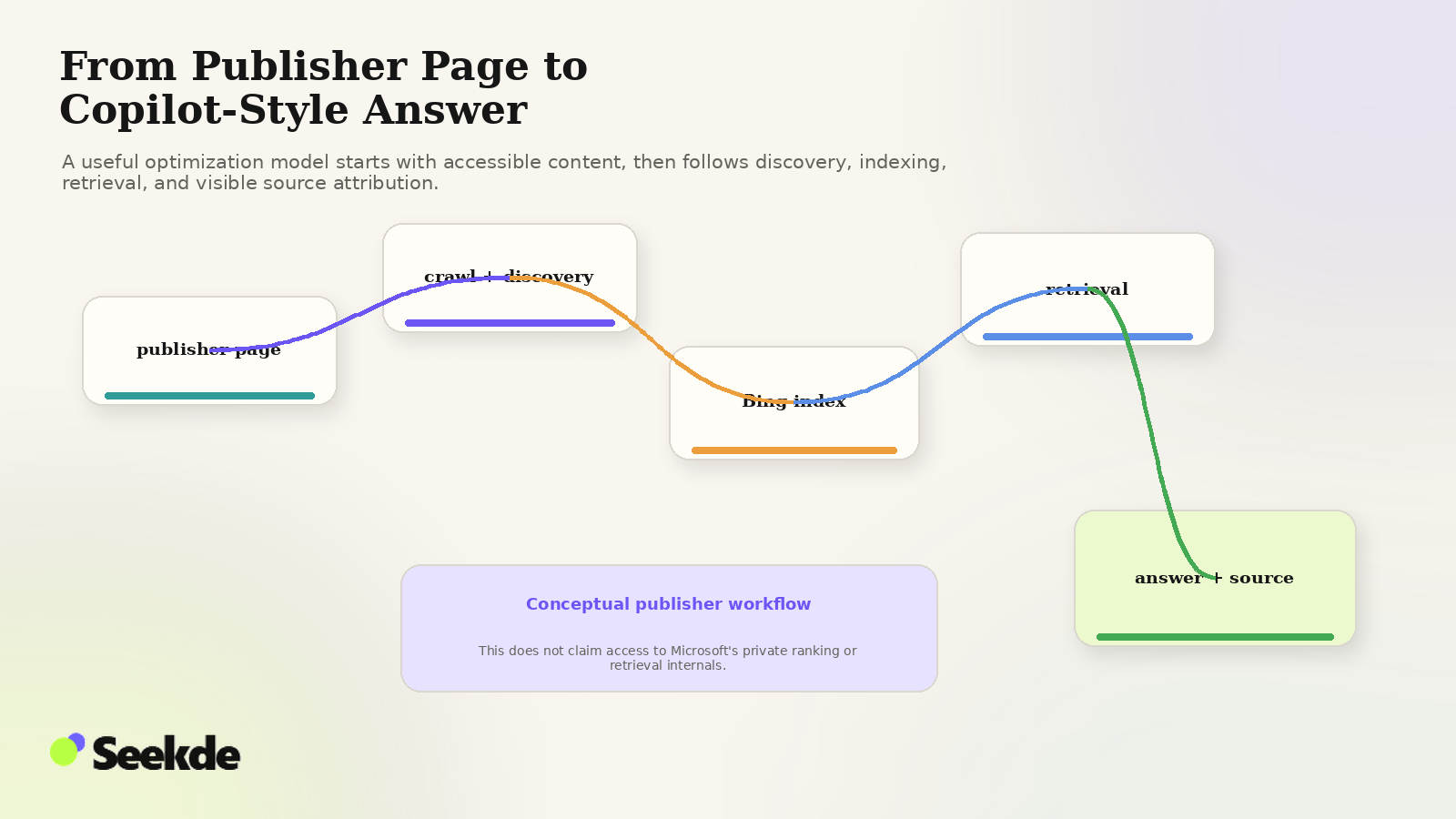
Generative answer engines rely on access to real-time, authoritative information to overcome the boundaries of static training cutoffs. To understand how content is selected for citation, publishers must examine how Microsoft documents the interaction between Copilot and search.
According to official Microsoft Support documentation on how web search works in Microsoft Copilot Chat and agents:
- Supported Web Search: In supported Copilot Chat and agent experiences, the system can invoke web search when a prompt requires external information.
- Query Generation: Copilot generates a short, targeted search query based on the user’s natural-language prompt.
- Bing Search Grounding: That derived query is sent to the Bing search engine to retrieve relevant public web results.
- Answer Enhancement: Information returned from the web search is used by Copilot to ground, improve, and format the final response.
- Sources Transparency: The interface’s Sources drawer can expose the exact generated Bing search query as well as the cited web sources that contributed to the answer.
This multi-step query generation mirrors the broader concept of query fan-out in AI search, where conversational prompts are decomposed into focused search requests. Publishers should note that Microsoft scopes this documented mechanism to supported Copilot Chat and agents; not every Microsoft AI product or every Copilot response follows this exact path, as prompts resolvable through internal reasoning or tenant data may not invoke external web search.
For site owners, the primary takeaway is direct: for Copilot experiences that utilize Bing-backed web search, your content must first be discoverable, indexable, and retrievable by Bing for the derived search queries. A comprehensive architectural breakdown of this pipeline is detailed in our guide to the architecture of generative answer engines.
Bingbot and the Bing Search Index
For web-grounded Copilot features that retrieve public web information via Bing, indexing by Bingbot is foundational to that retrieval pipeline. Microsoft documents that Bing’s search index provides the retrieval corpus for both standard Bing search results and supported Copilot web grounding.
Crawl Accessibility Requirements
According to the official Bing Webmaster Guidelines, websites must ensure that Bingbot can efficiently discover, crawl, and render page content:
- Robots.txt Configuration: Ensure your server’s
robots.txtfile does not restrictBingbotfrom accessing critical content paths:User-agent: Bingbot Allow: / - Crawl Efficiency and Server Response: Bingbot respects crawl-delay directives where configured, but publishers should prioritize high-speed server response times (
200 OK) and minimize server errors (5xx) or redirect chains (301/302). - Server-Rendered Content: While Bingbot can process JavaScript, relying heavily on client-side rendering introduces processing latency. Critical text, factual definitions, and comparative data tables should be present in server-delivered HTML to ensure immediate availability during index extraction.
Publishers must recognize that Bingbot does not make citation decisions. Bingbot discovers and crawls pages so Bing can process them for indexing. Bingbot itself should not be treated as a documented citation-selection algorithm. Ensuring clean Bingbot crawlability is an indispensable prerequisite, but it does not guarantee citation placement. To understand the relationship between traditional retrieval and generative engines, explore our comparison of GEO vs SEO vs AEO.
Bing Webmaster Tools AI Performance
While many search platforms offer limited or ambiguous reporting regarding generative AI visibility, Microsoft provides one of the most transparent first-party measurement suites available to webmasters.
In February 2026, Microsoft introduced the AI Performance report in Bing Webmaster Tools, establishing dedicated telemetry for AI-driven visibility. In June 2026, Microsoft expanded this dashboard with deeper diagnostic features, giving publishers actionable insights into their generative search footprint.
Core Metrics (February 2026 Release)
According to the official Bing Webmaster announcement on AI Performance, the baseline report tracks four fundamental metrics across Microsoft Copilot and Bing AI features:
- Total Citations: Total number of citations displayed as sources in AI-generated answers during the selected timeframe.
- Average Cited Pages: Average number of unique pages from the verified site displayed as sources in AI-generated answers per day over the selected time range. (This measures daily unique page breadth, not unique URLs per individual answer).
- Grounding Queries: Key phrases the AI used when retrieving content that was referenced in AI-generated answers. Microsoft explicitly states that the displayed grounding-query data represents a sample of overall citation activity, rather than an exhaustive tally of total search query volume.
- Page-Level Citation Activity: Citation counts for specific URLs from the verified site, showing how often individual pages are cited as sources across AI answers. It measures citation activity, not ranking, importance, or placement.
Advanced Diagnostics (June 2026 Release)
According to the official Bing Search blog on new AI visibility insights, the June 2026 update added sophisticated dimensional analysis tools:
- Intents: Categorizes grounding queries into intent types. Microsoft’s documented examples include Informational, Commercial, Navigational, Learn and Solve, Research, Creation, Local, and additional intent groupings.
- Topics: Groups related grounding queries into broader thematic clusters, allowing webmasters to see which topic categories earn citations.
- Citation Share: Percentage of citations attributed to the publisher’s site out of all citations shown across all sites for the same grounding query. Microsoft documents Citation Share strictly as an observational visibility metric; it is not a search ranking system, not a competitor-domain disclosure, not traffic share, and not a quality score.
- Compare: Overlays a previous time period on the current reporting view to observe changes. While this view can reveal correlations with website updates, seasonal demand, or market shifts, webmasters must not interpret it as measuring direct causal impact.
Interpreting AI Performance Data
Webmasters must interpret these metrics strictly as diagnostic and visibility measurements, not documented ranking weights. A high Citation Share indicates observed visibility for specific grounding queries; it is not a direct mathematical coefficient that forces Copilot to prioritize your site for unrelated queries.
Monitoring this dashboard allows publishers to identify which informational assets reliably earn citations and which subtopics call for clearer factual structuring.
IndexNow and AI Visibility
In the fast-moving generative search environment, content freshness can directly influence retrieval eligibility. Microsoft actively supports and promotes IndexNow, an open-source protocol developed to accelerate search engine discovery of newly created, modified, or deleted URLs.
How IndexNow Operates
As documented on IndexNow.org, the protocol allows site owners to notify participating search engines (including Bing and Yandex) immediately whenever content changes occur on their servers:
- Direct API Notification: Instead of waiting for crawlers to discover modified URLs during periodic sitemap scans or link traversals, a content management system (CMS) sends an automated HTTP request containing the updated URL and an authentication key.
- Cross-Engine Sharing: A single submission to IndexNow automatically notifies all participating search engines, eliminating the need to ping multiple platform endpoints individually.
Critical Scoping: What IndexNow Does and Does Not Do
Misconceptions regarding IndexNow are widespread in the search industry. Publishers must understand the exact technical boundaries of the protocol:
| Capability | IndexNow Status | Technical Reality |
|---|---|---|
| Immediate Change Notification | Supported | Notifies search engines of URL additions, updates, or deletions instantly via API. |
| Guaranteed Immediate Crawling | Not Guaranteed | Engines prioritize crawling based on server capacity, historical quality, and crawl budget. |
| Guaranteed Immediate Indexing | Not Guaranteed | Notification triggers evaluation; content must still satisfy all standard quality criteria. |
| Guaranteed Organic Ranking | Not Supported | IndexNow is an ingestion mechanism, not a ranking algorithm or search authority signal. |
| Guaranteed Copilot Citation | Not Supported | URL notification does not guarantee or directly determine whether a page is selected for AI grounding. IndexNow can accelerate discovery and crawling of changed content, which may affect when updated material becomes available to search systems. |
| Fixed Processing Window | Not Guaranteed | Microsoft does not document a fixed minute-by-minute turnaround time between ping and index insertion. |
Using IndexNow is an excellent engineering practice for reducing discovery latency, particularly for time-sensitive news, product stock changes, and breaking technical documentation. However, claims that IndexNow provides "instant Copilot ranking" or acts as an AI citation shortcut are completely unsupported by primary documentation.
Publisher Controls: NOARCHIVE, NOCACHE, and data-nosnippet
Publishers often seek granular control over how their intellectual property is utilized by artificial intelligence systems. Microsoft has officially documented how traditional webmaster directives apply to Microsoft Copilot, Bing Chat, and foundation model training.
Understanding these controls allows site owners to participate in search discovery while managing content caching and AI model training allowances.
| Directive / Attribute | Implementation Syntax | Impact on Traditional Bing Search | Impact on Copilot / Bing Chat Grounding | Impact on Foundation Model Training |
|---|---|---|---|---|
| NOARCHIVE | <meta name="robots" content="noarchive">or HTTP Header |
Page remains eligible to appear in traditional Bing search results; removes cached page link. | Prevents content from being linked or used in applicable Chat and Copilot grounding contexts. | Excludes full page content from being utilized in Microsoft foundation model training. |
| NOCACHE | <meta name="robots" content="nocache">or HTTP Header |
Page remains eligible to appear in traditional Bing search results; restricts Bing snippet caching. | Restricts applicable Chat and Copilot display to URL, title, and snippet only. | Limits foundation model training strictly to the URL, title, and snippet. |
| data-nosnippet | <span data-nosnippet>...</span>or HTML element |
Excludes marked HTML text from appearing in organic search snippets. | Prevents marked HTML text from appearing in AI-generated answers and previews. | Leaves page discoverable; does not guarantee marked text is excluded from internal retrieval parsing. |
Policy Details from Official Documentation
According to official Microsoft Webmaster publications:
NOARCHIVE: This directive provides full content exclusion. When a page servesnoarchive, it remains eligible to appear in traditional Bing search results, but Microsoft’s documented policy excludes the content from being linked or used in conversational Copilot answers and bars the full text from generative foundation model training.NOCACHE: This directive represents a metadata allowance. It permits Copilot to reference the page using its basic metadata (title, URL, and snippet) and limits foundation model training use strictly to that URL, title, and snippet. Publishers should note thatNOCACHEdoes not fully bar foundation model training; it restricts training use to the documented metadata elements.data-nosnippet: This HTML attribute provides surgical control over sensitive sections of an otherwise public page. Applyingdata-nosnippetto proprietary pricing formulas, member-only excerpts, or licensed text prevents those specific passages from being displayed within generative summaries.
Publishers must avoid extending these directives beyond Microsoft’s documented boundaries. For instance, using data-nosnippet controls what text can be displayed in answers; it should not be assumed to blind backend algorithmic indexing models to the existence of that text.
What We Observed on Microsoft Surfaces
To evaluate how Microsoft presents generative answers and source citations in practice, Seekde conducted controlled empirical observations in September 2026. Maintaining scientific rigor calls for reporting both positive findings and environmental limitations transparently.
Controlled Observation 1: Consumer Copilot Access Test
Our observation protocol evaluated guest-session accessibility on Microsoft’s consumer AI interface (copilot.microsoft.com):
- Observed Behavior: When accessing
copilot.microsoft.comin an unauthenticated guest browser session, the interface displayed a mandatory sign-in gate, requiring credentials before initiating multi-turn chat sessions. - Legacy Endpoint Handling: Navigating to the legacy conversational URL
bing.com/chatresulted in an automated browser redirect tocopilot.microsoft.com. - Methodological Limitation: Because Seekde’s testing standards mandate unauthenticated, automated guest sessions to replicate unbiased consumer access, we did not obtain an unauthenticated Consumer Copilot generated-answer test.
Reporting this limitation plainly reinforces our research integrity. We do not synthesize or fabricate Consumer Copilot citation metrics where an authentication barrier was observed.
Controlled Observation 2: Bing Search Generative Answer
Our observation protocol separately tested the live search engine interface on bing.com/search under clean guest browser conditions:
- Query Execution: We executed a single targeted informational query run (
RUN-BING-SERP-01) onbing.com/search. - Generative Answer Box: Bing displayed a prominent generative answer card positioned directly above the standard organic search listings.
- Citation Badging: The generated text integrated one visible numbered bracket citation (
[1]) directly adjacent to factual claims. - Domain Attribution: The result card presented visible source attribution featuring the publisher domain name and destination page metadata.
- Follow-Up Copilot Integration: The base of the generative answer box embedded an interactive text field labeled "Ask a follow-up", allowing users to transition directly from standard search into a conversational Copilot thread.
Analytical Boundary: Distinguishing Bing Search from Consumer Copilot
Researchers and practitioners must not present Bing Search generative citation UI as Consumer Copilot citation UI. While both features rely on Bing web index retrieval, their presentation layers, conversational persistence, and user interfaces are distinct products.
Practical Bing and Copilot Readiness
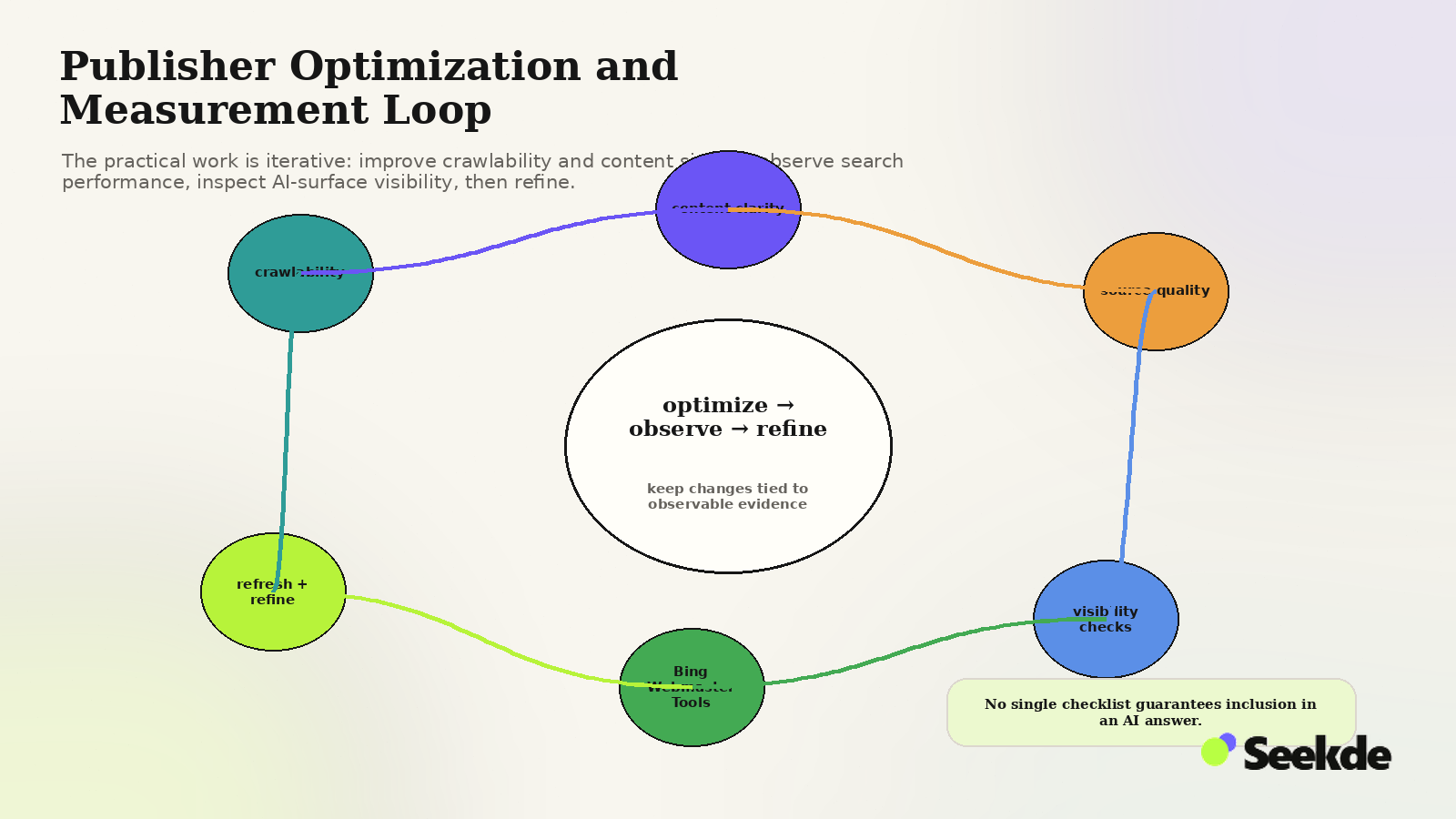
Based on documented platform mechanics and empirical observations, publishers can implement concrete technical and editorial practices to maximize visibility across Microsoft AI surfaces. These recommendations represent Seekde practical testing priorities, not guaranteed platform ranking factors:
1. Maintain Flawless Bing Indexability
For Copilot experiences that use Bing-backed public web search, a page must be discoverable through Bing’s search systems to participate in that web-grounding path. Use Bing Webmaster Tools to submit clean XML sitemaps, monitor crawl error reports, and ensure that key landing pages return clean 200 OK status codes. Address any canonicalization errors or crawl anomalies immediately.
2. Implement IndexNow for Rapid Discovery
Deploy the IndexNow protocol across your CMS or publishing pipeline. Automating IndexNow submissions immediately alerts participating search engines when those URLs change, reducing reliance on passive rediscovery. Crawling, indexing, ranking, and Copilot citation remain discretionary.
3. Structure Factual Statements Directly
Generative models perform best when synthesizing discrete, verifiable facts. Structuring informational pages with direct, concise definitions placed immediately after descriptive H2 or H3 headings serves as a practical formatting structure to aid machine extraction.
4. Utilize Semantic Tables and Structured Data
Organize comparative metrics, feature breakdowns, and technical specifications into semantic HTML <table> elements. Implement Schema.org structured data (such as Article, TechArticle, or FAQPage) as a clear formatting heuristic to establish explicit entity relationships. Schema markup does not guarantee Copilot citations, but it establishes unambiguous semantic boundaries for machine extractors.
5. Review Bing Webmaster Tools AI Performance Monthly
Regularly audit your AI Performance dashboard. Analyze which URLs generate the highest Total Citations, examine the Intents breakdown to understand what user problems your content addresses, and monitor Topic clusters to identify emergent content gaps.
6. Apply Publisher Directives Strategically
Align your robots meta tags with your organization’s intellectual property policies. If your brand prohibits AI foundation model training, deploy NOARCHIVE for full-content exclusion, or NOCACHE if metadata display is acceptable, understanding their documented effects on Copilot grounding and eligibility to appear in traditional Bing search results.
To gain a broader perspective on how generative models cite web sources across different search platforms, consult our comprehensive analysis of how AI search engines find and cite content.
Bing and Copilot Optimization Checklist
Before publishing content intended to compete for visibility across Microsoft’s AI search ecosystem, evaluate your pages against this technical and editorial checklist:
- [ ] Bingbot Access:
User-agent: Bingbotis explicitly allowed inrobots.txtacross all primary content directories. - [ ] IndexNow Enabled: The CMS or web server is configured to send immediate change notifications via the IndexNow API upon publication or updates.
- [ ] Bing Webmaster Tools Verified: The domain is active and verified in Bing Webmaster Tools with zero critical crawl errors or security blocks.
- [ ] Publisher Directive Audit: Meta robots tags are verified;
NOARCHIVEorNOCACHEdirectives are applied intentionally based on training and grounding policies. - [ ] Textually Accessible Markup: Core definitions, statistics, and text passages are delivered in textual HTML rather than dependent on client-side JavaScript execution (Seekde heuristic).
- [ ] Extractable Answer Design: Key topical questions are answered directly and concisely within the first sentence beneath descriptive subheadings (Seekde testing priority).
- [ ] Tabular Data Structure: Comparative data, numerical metrics, and feature sets are formatted in semantic
<table>elements with descriptive table headers (<th>) (Seekde testing priority). - [ ] AI Performance Monitoring: AI Performance metrics (Total Citations, Grounding Queries, Topics) are scheduled for recurring monthly review.
- [ ] Calibrated Expectations: Editorial teams recognize that Bing crawlability is a prerequisite for normal Bing discovery/indexing paths, but neither indexing nor AI citation is guaranteed.
Conclusion
Succeeding in Microsoft’s emerging search ecosystem does not require speculative optimization hacks or unsubstantiated claims of "Copilot ranking algorithms." It requires disciplined adherence to established search fundamentals combined with modern AI governance.
By ensuring thorough Bingbot crawlability, integrating IndexNow for rapid discovery, formatting factual information for automated extraction, and actively monitoring first-party AI Performance analytics, publishers can position their content to participate effectively across both traditional search results and next-generation conversational interfaces. To explore the rigorous experimental frameworks behind our findings, review the complete Seekde research methodology.