Monitoring AI search visibility does not require an expensive commercial software subscription; search practitioners can build a robust, statistically sound measurement program using free native webmaster tools, web analytics, server logs, and structured spreadsheet protocols. While paid enterprise platforms automate daily scraping across thousands of queries, smaller businesses, independent consultants, and early-stage startups can achieve actionable visibility intelligence by leveraging tools they already own: Google Search Console, Google Analytics 4, server access logs, and disciplined manual prompt sampling.
In traditional SEO, manual rank checking was tedious but straightforward: rankings on Google’s ten-blue-link SERPs were relatively deterministic and stable. In generative artificial intelligence search—such as Google AI Overviews, ChatGPT Search, Perplexity, and Claude—results are inherently probabilistic. Answers shift based on non-deterministic model temperature, continuous index updates, and dynamic query fan-out.
To track generative search visibility effectively without paid software, practitioners must replace ad-hoc spot checks with a repeatable, scientific observation protocol. This guide outlines the complete zero-cost methodology for tracking AI search presence, isolating referral traffic, analyzing crawl log telemetry, and maintaining a structured observation ledger.
The Zero-Cost AI Search Monitoring Architecture
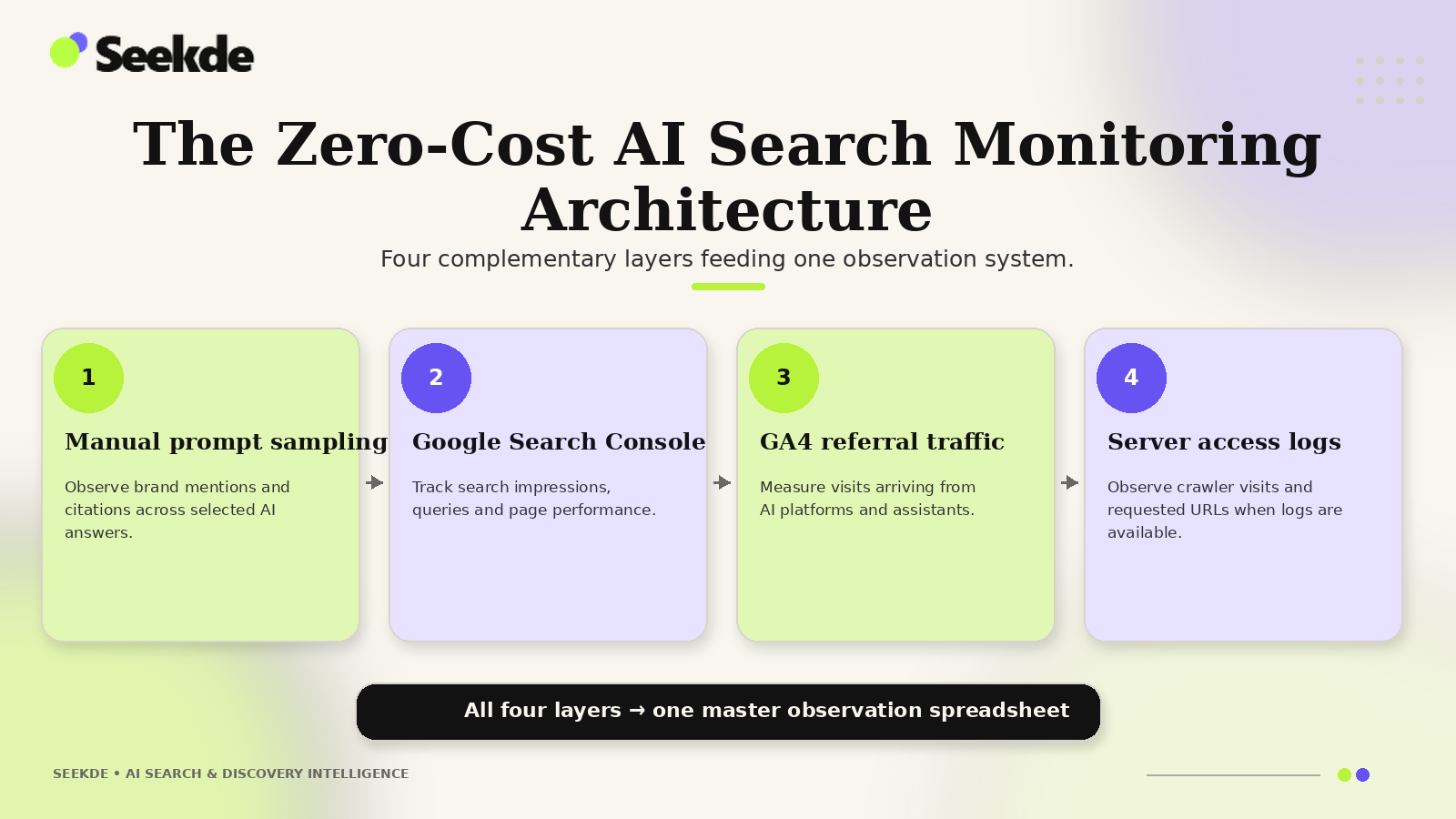
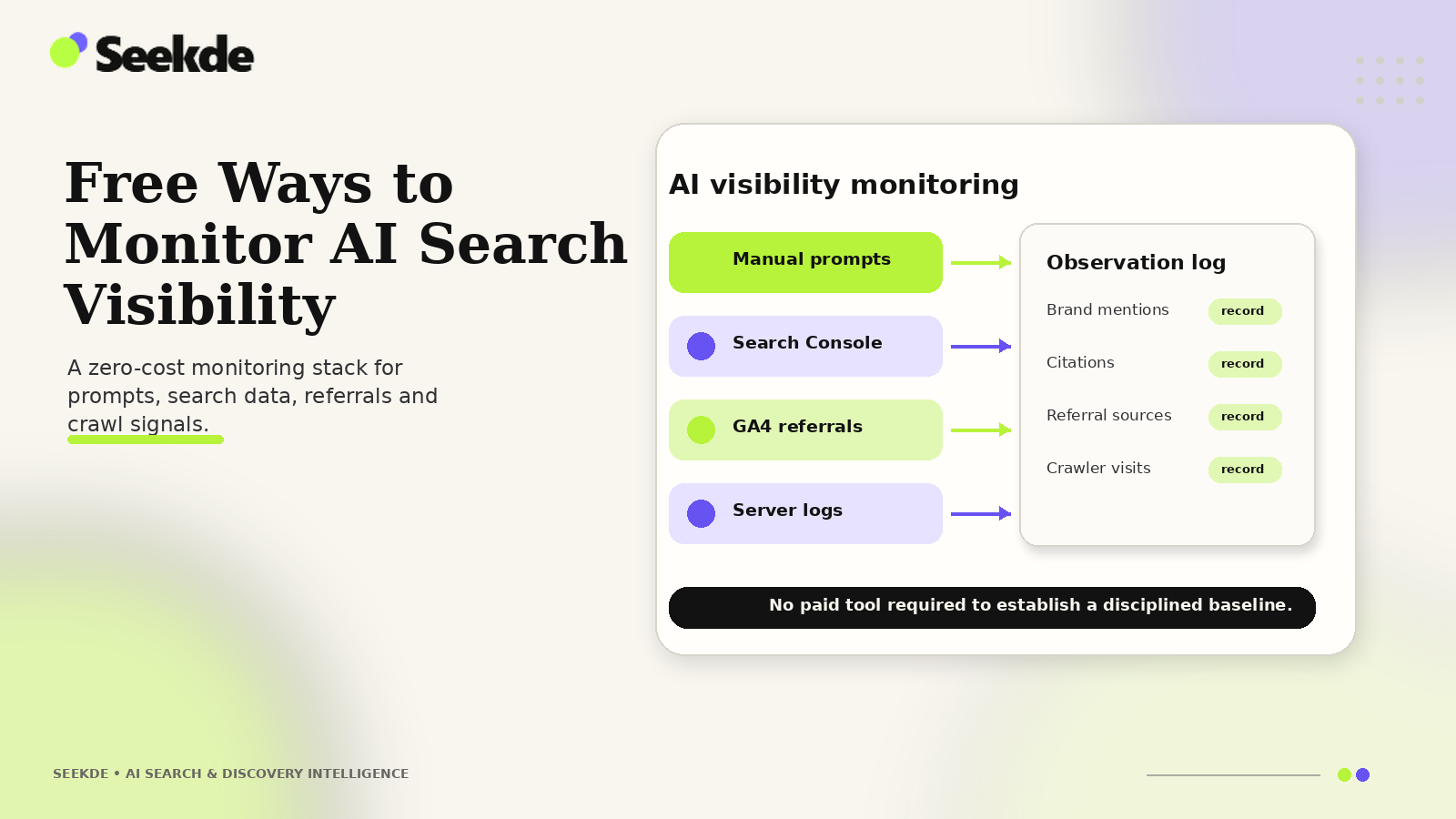
A comprehensive free monitoring program combines four complementary data layers, synthesizing active search queries, webmaster telemetry, and referral analytics:
Active observation using standardized, versioned prompt sets executed across clean browser sessions.
Generative AI Performance report tracking impressions vs regular Search clicks, CTR, and average position.
Custom attribution tracking referral sessions originating from ChatGPT, Claude, and Perplexity.
Crawl telemetry identifying OAI-SearchBot, PerplexityBot, and Google-Extended bot hits in real time.
By synthesizing these four layers, practitioners capture both the qualitative presentation of their brand (how the AI describes you) and quantitative business impact (how many people clicked through).
Layer 1: The Controlled Manual Prompt Sampling Protocol
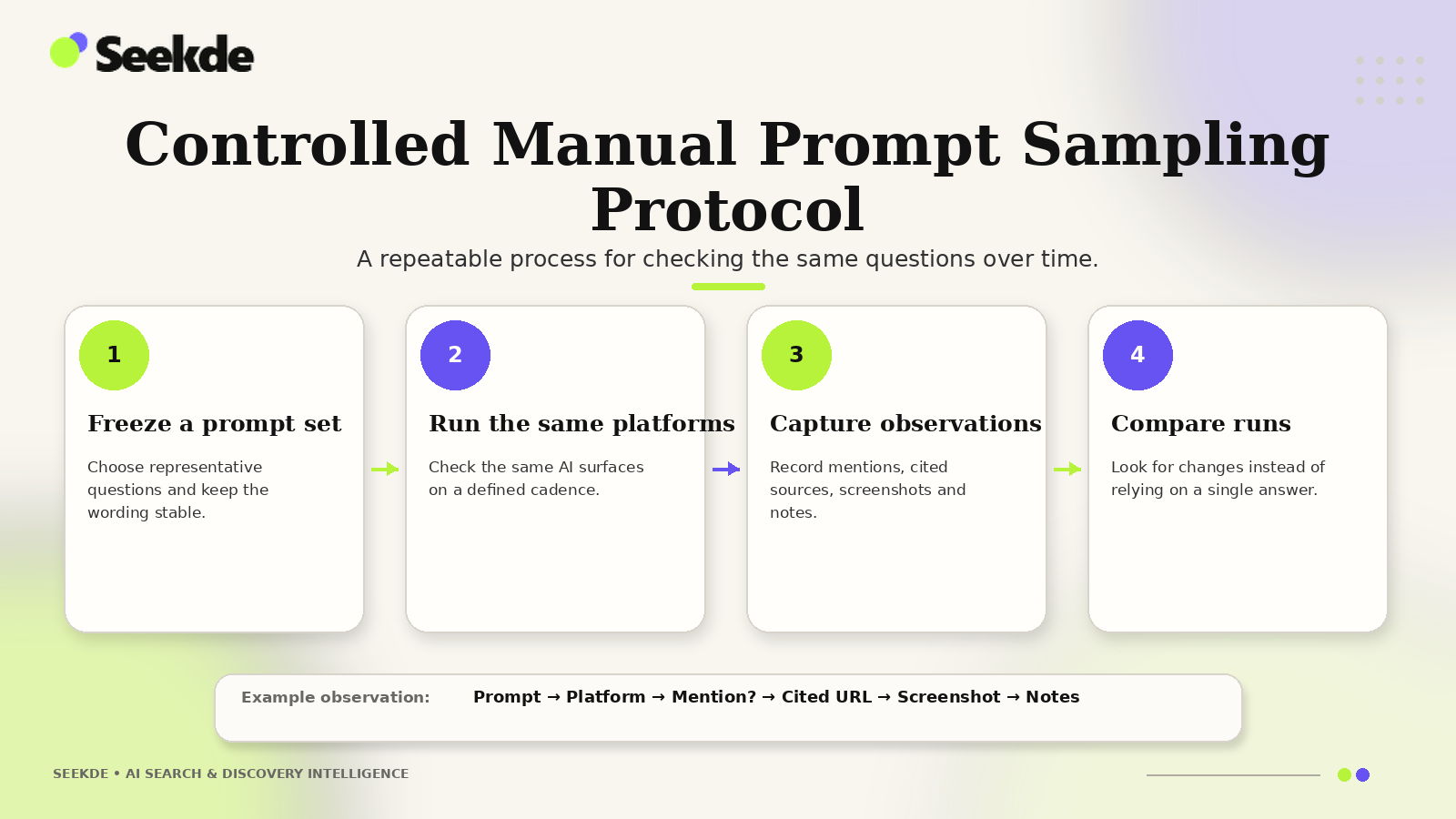
The most direct way to observe conversational search visibility is querying the models directly. However, typing random queries into a personal browser session introduces severe confirmation and personalization bias.
To ensure your manual observations are statistically defensible, execute this Controlled Manual Sampling Protocol:
1. Maintain Clean, Isolated Environments
- Use Private / Incognito Windows: Never test prompts in a personal browser session where you are logged into personal accounts. Search engines and chatbots personalize answers based on historical chats, browsing history, and account cookies.
- Log Out of Model Accounts: If testing ChatGPT or Claude, test in logged-out guest sessions whenever the platform permits public web search, or maintain a dedicated, unpersonalized testing account.
- Control Geographic and Language Settings: Ensure your VPN or IP location matches your target market (e.g., US-English).
2. Design a Versioned Prompt Monitoring Set
Never test improvised queries. Construct a standardized, 25-to-50 prompt monitoring set categorized by buyer intent (as detailed in our guide on how to build an AI search prompt monitoring set):
| Prompt Category | Intent Description | Example Standardized Prompt |
|---|---|---|
| Navigational / Brand | Verifies brand entity recognition and core capabilities. | "What is [Brand Name] and what services does it provide?" |
| Commercial / Category | Evaluates whether your brand appears in generic buyer consideration sets. | "What are the best enterprise tools for [Industry Task] in 2026?" |
| Comparative / Head-to-Head | Analyzes how models frame your product against direct competitors. | "[Brand Name] vs [Competitor Name]: Which is better for SaaS?" |
| Alternative / Replacement | Captures displacement when buyers consider switching. | "What are the top alternatives to [Competitor Name]?" |
| Informational / Procedural | Tests whether your technical guides are cited for how-to queries. | "How do you configure robots.txt for AI crawlers?" |
3. Establish a Fixed Longitudinal Cadence
Generative models fluctuate. Testing once and assuming permanent inclusion is an operational error. Execute your prompt set at a fixed cadence:
- Recommended Schedule: Every two weeks (e.g., alternating Tuesdays).
- Repeated Runs: Run high-priority commercial prompts 3 times in separate sessions to calculate inclusion stability (e.g., cited 2 out of 3 runs = 66% stability).
Layer 2: Google Search Console: Generative AI vs. Search Performance
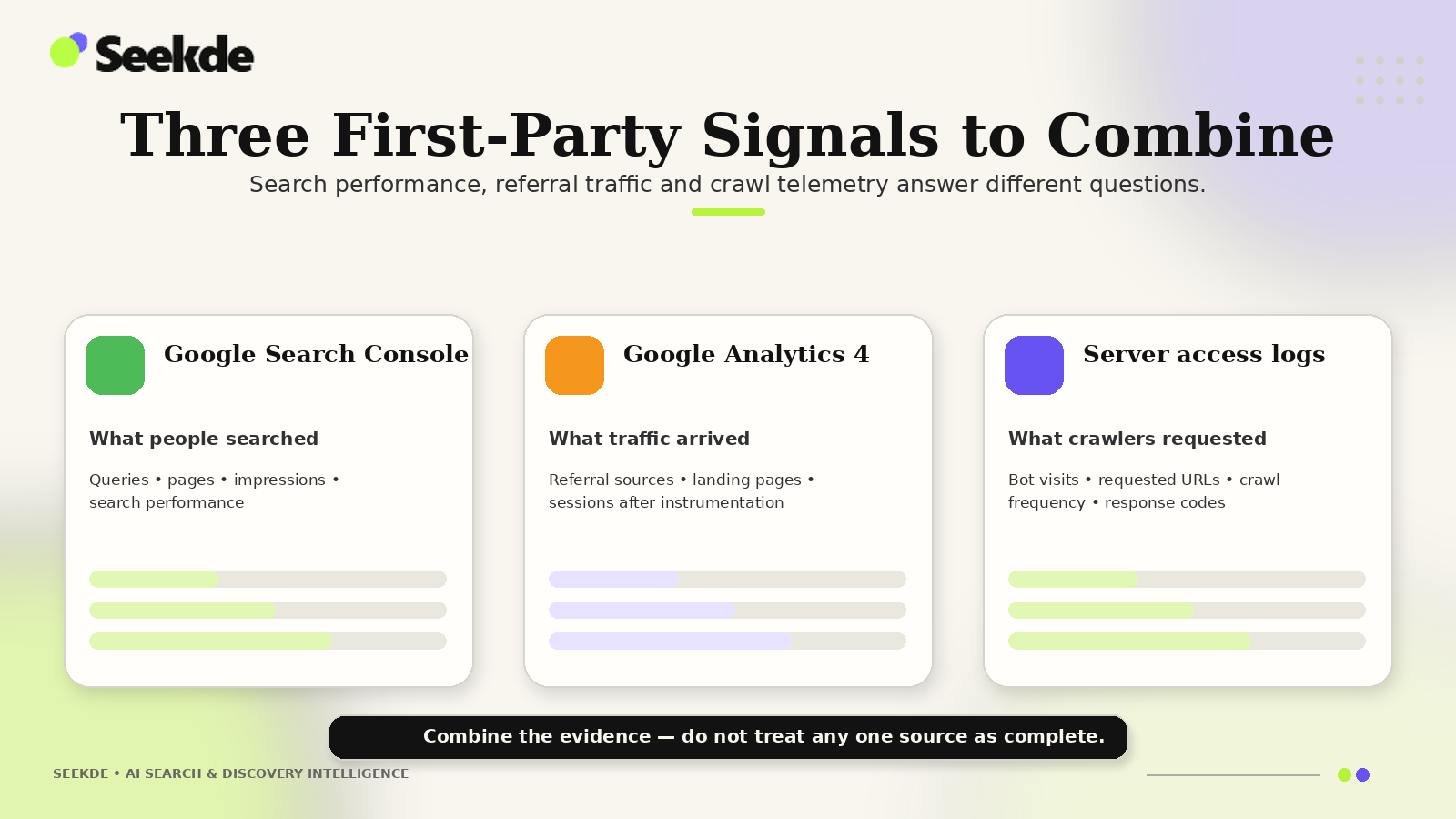
Google Search Console (GSC) is the authoritative free source for understanding your website’s visibility across Google’s search surfaces. However, practitioners must preserve a critical technical distinction:
Google Search Console Data Segregation:
- 1. Dedicated Generative AI Report (AI Overviews Filter)
- Isolates generative-AI impressions specifically recorded when your URLs appear in AI Overview response modules.
Measures grounding citation visibility and exposure in generative answer modules.
- 2. Regular Search Performance Report (Standard Web Search)
- Captures broader aggregate clicks, impressions, CTR, and average position across all organic web search results.
- Includes standard blue links, featured snippets, and universal search features.
Using GSC to Measure Generative Visibility:
- Navigate to Performance Reports: Open Google Search Console and select the Search results performance report.
- Apply Search Appearance Filters: Filter by Search Appearance to view queries that triggered AI Overviews.
- Analyze Cited URLs: Identify which specific landing pages generate impressions within AI Overviews. Pages with high impressions but low CTR often indicate that the AI summary fully answered the query directly on the SERP (zero-click searches).
- Compare Average Position vs. AIO Presence: If a page ranks in position #4 on standard organic web results but appears as a primary citation card in the AI Overview, its actual visual prominence exceeds its conventional position metric.
Layer 3: Tracking AI Search Referral Traffic in Google Analytics 4
While GSC captures impressions, Google Analytics 4 (GA4) tracks actual human sessions originating from generative engines. Because GA4 historically categorized traffic from ChatGPT and Perplexity as generic Direct or standard Referral, practitioners must configure a dedicated Custom Channel Grouping.
The GA4 Custom Channel Grouping Setup:
- In GA4, navigate to Admin → Data Settings → Channel Groups.
- Click Create New Channel Group (or modify your Default Channel Group).
- Add a new channel named AI Search Referrals.
- Configure the rule using regex pattern matching on the
Sourceparameter:
Source matches regex: (.*chatgpt.com.*|.*perplexity.ai.*|.*claude.ai.*|.*copilot.microsoft.com.*|.*gemini.google.com.*)
AND
Medium matches regex: (referral|organic)All incoming domain sessions arriving at origin
Regex rule matching chatgpt.com, perplexity.ai, claude.ai
Clean dedicated channel bucket in standard acquisition reports
Identify top cited content assets driving post-click traffic
Evaluate assisted revenue, subscriptions, and lead form completions
By isolating this channel, you can track exact user volume, average engagement time, and e-commerce transactions or lead form completions originating from conversational answer citations (as explored in our technical walkthrough on tracking ChatGPT referral traffic in GA4).
Layer 4: Server Access Log Intelligence (Crawl Telemetry)
Before an answer engine can cite your content, its automated crawler must visit your server and ingest your HTML. Analyzing server access logs is completely free and provides leading indicators of future citation visibility.
Key AI Crawlers to Monitor:
OAI-SearchBot: OpenAI’s real-time search discovery crawler used for ChatGPT Search citations.Claude-SearchBot: Anthropic’s search indexation bot used to enhance web-search answer quality.PerplexityBot: Perplexity’s automated retrieval agent.Googlebot: Google’s primary web crawler feeding AI Overviews and standard indexes.
Free Log Analysis Commands (Bash / CLI):
If you have SSH or cPanel access to your web server, run these lightweight terminal commands to inspect crawler activity:
# Count requests from verified AI search bots in the last 7 days
grep -E "OAI-SearchBot|Claude-SearchBot|PerplexityBot" /var/log/nginx/access.log | wc -l

# Identify which specific URLs OAI-SearchBot is crawling most frequently
grep "OAI-SearchBot" /var/log/nginx/access.log | awk '{print $7}' | sort | uniq -c | sort -nr | head -n 20

# Check for HTTP 403 or 429 status codes blocking AI search crawlers
grep -E "OAI-SearchBot|Claude-SearchBot" /var/log/nginx/access.log | awk '{print $9}' | sort | uniq -c
If your server logs reveal frequent 403 Forbidden errors or zero requests from OAI-SearchBot, inspect your robots.txt configuration immediately (see how to configure robots.txt for AI crawlers).
The Master AI Search Observation Spreadsheet Schema
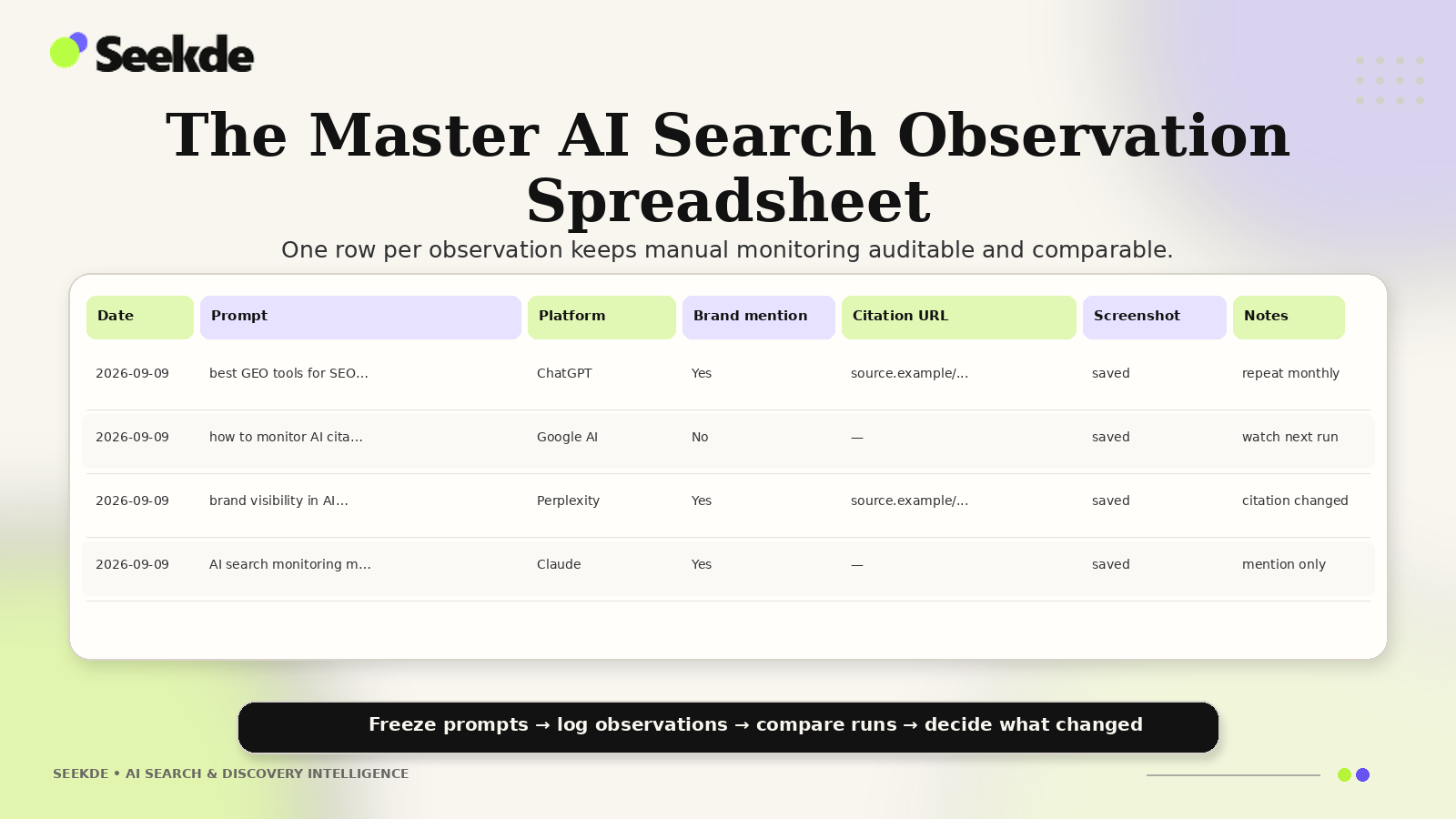
To record your manual prompt runs systematically, create a centralized Google Sheet or Excel workbook utilizing this standardized 10-column schema:
| Column Header | Data Type | Permitted Values / Description | Example Entry |
|---|---|---|---|
| A: Date | Date (YYYY-MM-DD) | Observation date | 2026-09-08 |
| B: Platform | Dropdown Text | ChatGPT Search, Perplexity, Google AIO, Claude, Copilot |
ChatGPT Search |
| C: Target Prompt | Text | Exact prompt submitted | "best AI visibility tools for agencies" |
| D: Intent Category | Dropdown Text | Brand, Commercial, Comparative, Alternative, Procedural |
Commercial |
| E: Brand Mentioned? | Boolean | YES / NO (Was the brand mentioned in text?) |
YES |
| F: Citation Linked? | Boolean | YES / NO (Was a hyperlinked source card included?) |
YES |
| G: Cited URL | Text / URL | Exact landing page linked by the model | https://seekde.io/best-ai-visibility-tools-agencies/ |
| H: Recommendation Rank | Number | Mention order (1 = first recommended, 2 = second, etc.) | 1 |
| I: Sentiment Polarity | Dropdown Text | Positive, Neutral, Negative |
Positive |
| J: Competitors Cited | Text | Comma-separated list of competing domains cited | Peec AI, Otterly AI |
Free Metrics to Calculate from Your Spreadsheet:
- Brand Mention Rate (%):
(Total YES in Column E / Total Prompts Tracked) * 100 - Citation Link Rate (%):
(Total YES in Column F / Total Prompts Tracked) * 100 - Citation Conversion Gap (%):
Mention Rate (%) - Citation Link Rate (%)(Measures how often you are mentioned without receiving a referral hyperlink).
Comparison: Free Monitoring vs. Paid Commercial Tools
| Monitoring Dimension | Free Native Stack (GSC + GA4 + Sheets) | Paid Commercial Tool (Peec AI / Otterly / Profound) |
|---|---|---|
| Software Cost | $0 / month (Completely Free) | $49 to $2,500+ / month |
| Setup Time | Moderate (1–2 hours for initial configuration) | Fast (15–30 minutes) |
| Scale Capacity | Best for 25–50 core strategic prompts | Scalable to 500–5,000+ automated prompts |
| Visual Screenshots | Manual capture required | Automated high-resolution screenshot archiving |
| Crawl Telemetry | Native raw server access logs | Varies (Rarely included in low-tier plans) |
| Data Ownership | 100% proprietary in your own spreadsheets | Stored in third-party vendor database |
Summary: Building Discipline Over Software Spend
Paid AI visibility tools provide valuable automation, visual screenshot archiving, and multi-workspace scale for growing agencies. However, they do not possess proprietary access to secret search algorithms. Every commercial tool fundamentally queries the same public models that you can access manually.
By deploying a structured manual prompt sampling protocol, configuring Google Search Console and GA4 channel groupings, and monitoring server crawler logs, any search marketer or business owner can establish a rigorous, highly accurate AI search monitoring program for zero software cost.
Focus on prompt consistency, statistical discipline, and empirical record-keeping. The insights you generate will rival any five-figure software dashboard while keeping your balance sheet completely lean.
Related Guides and Technical Frameworks
- How to Build an AI Search Prompt Monitoring Set
- How to Track AI Search Visibility in Google Search Console
- How to Track ChatGPT Referral Traffic in GA4
- AI Visibility Ranking Volatility: Causes and Measurement
- Best AI Search Visibility Tools (forthcoming comparative review)
- Best GEO Tools for SEO Teams (forthcoming practitioner guide)
- Best AI Visibility Tools for Agencies (forthcoming agency guide)
- How to Configure Robots.txt for AI Search Crawlers